

Commenting on Incidents
Record your investigation progress and findings with comments on incidents.
Incident comments in Validio let you document findings, coordinate with team members, and maintain an audit trail during incident investigation and resolution.
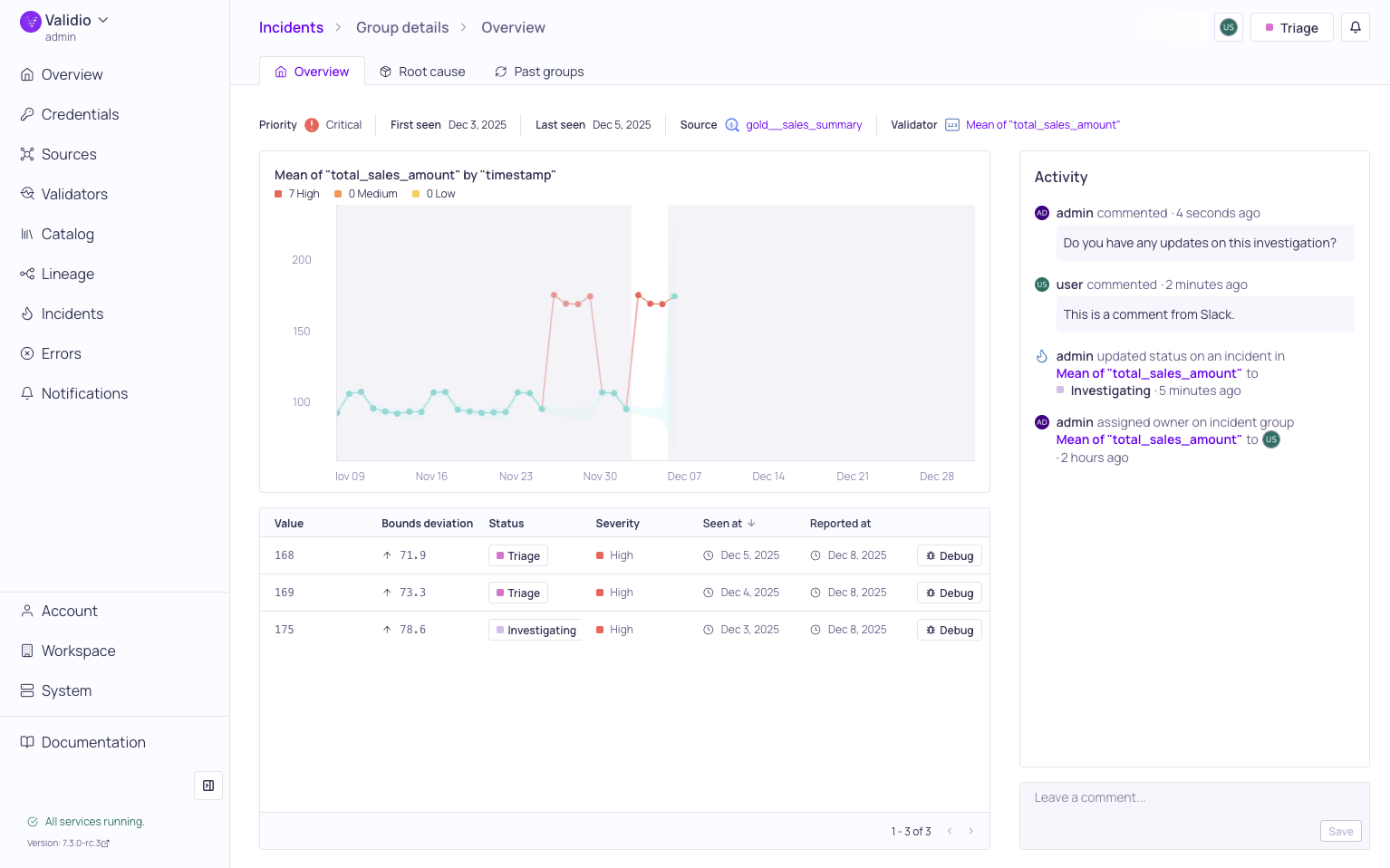
Incident Group Overview with activity log and comments
Comments are an essential part of the incident management process, enabling effective collaboration and knowledge sharing during incident investigation and resolution. The commenting feature in Validio provides a comprehensive way to document your findings, coordinate with team members, and maintain a complete audit trail of all incident-related activities.
For more information see About Validator Incidents and Managing Incident Groups.
Adding Comments
You can add comments to incident groups directly from the group details page. Comments are immediately visible to all users with access to the incident and become part of the Activity log.
Deleting Comments
It's possible to delete comments, but there are some restrictions:
- You can only delete your own comments.
- Comments deleted in Validio will not automatically delete in the external notification channel.
Commenting in Notifications
Validio's commenting feature seamlessly integrates with configured notification channels, such as Slack and Microsoft Teams, to streamline your incident response workflow.
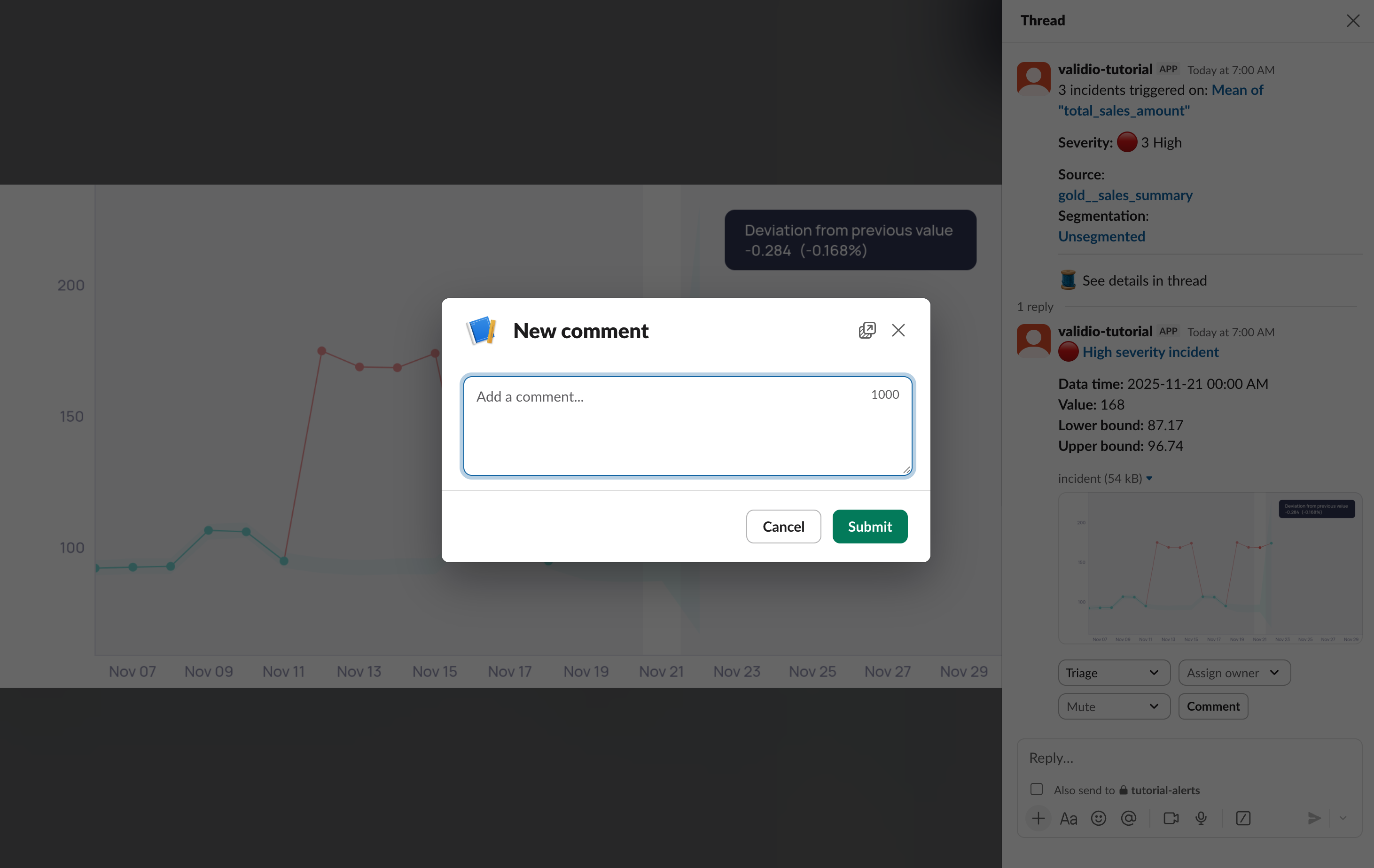
Adding a comment from a Slack notification thread
If you configured notifications to Slack or Microsoft Teams with Interactive Messages:
- Bi-directional commenting: Add comments directly in Slack or Teams notification threads, and they automatically appear in the Validio incident activity log. For this to work, your account in Slack or Teams must use the same email address as an existing Validio account.
- Real-time updates: Comments added in Validio are immediately posted to the relevant notification channel thread.
- User attribution: Each comment shows the original author and a link back to the incident group details.
Updated 7 months ago