

About Notifications
Learn how to configure and manage alerts for data quality issues in Validio.
Notifications in Validio are alerts that inform you about data quality issues and incidents in your sources and validators. These messages provide essential context for incident triage:
- Incident severity levels
- Incident priority
- Source owner, tagged directly in the message on Slack and Microsoft Teams channels when the notification rule opts in
- Affected data sources
- Segmentation details
- Metric graphs showing deviation patterns and alert triggers
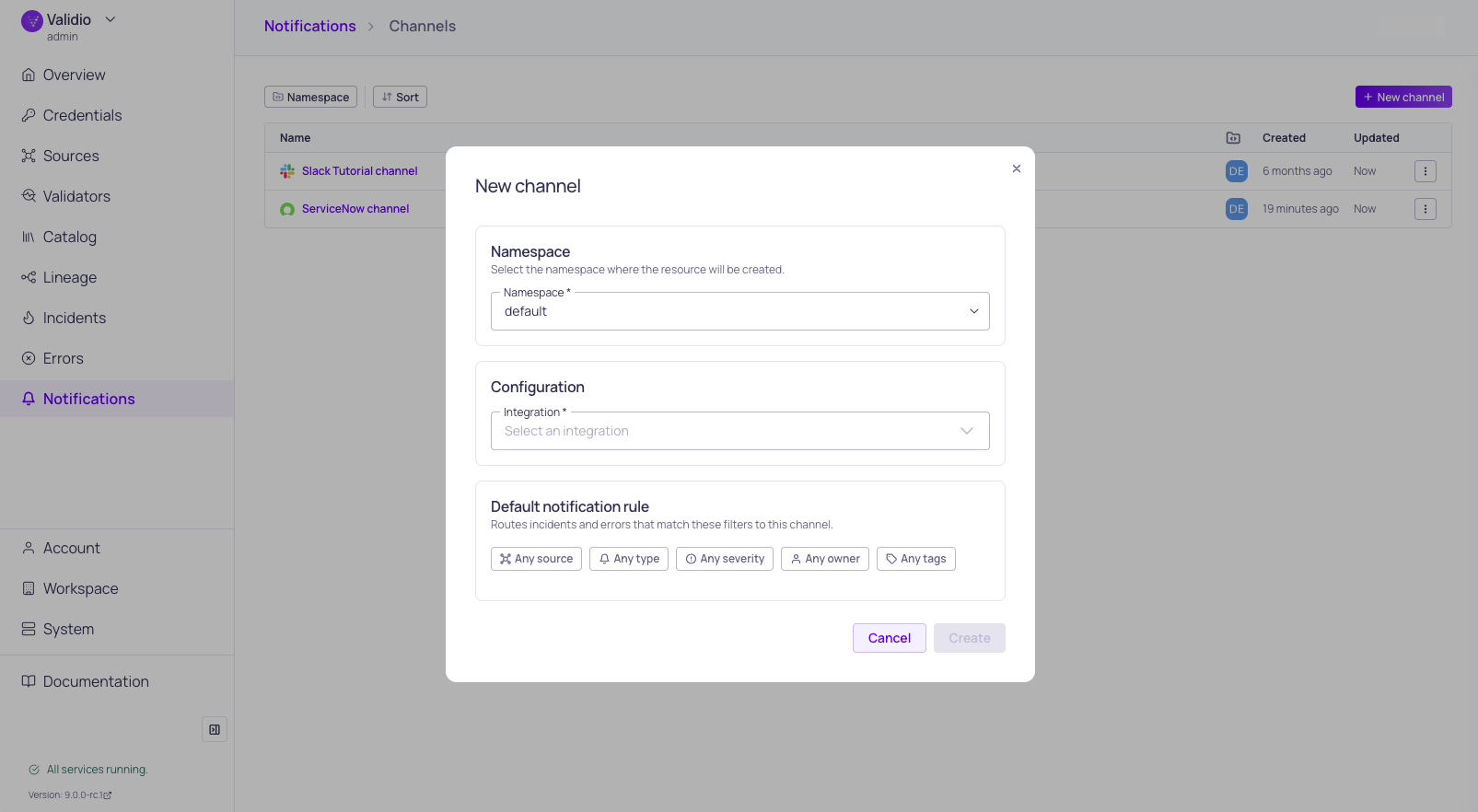
Notification channel and default rule configuration
How Notifications Work
Validio notifications are configured across three resources: integrations, channels, and rules.
Integrations
Integrations store the connection and credentials for an external service such as a Slack workspace, a Jira instance, or an SMTP server. You configure an integration once at Workspace > Integrations and then reuse it across any number of channels. For more information, see Managing Integrations.
Notification Channels
Notification channels reference an integration and add the destination details, such as a specific Slack channel ID, a Jira project key, or recipient email addresses. Channels route alerts to your team's communication platforms. For supported channels and configuration details, see Notification Channels.
Notification Rules
Notification rules live inside a channel and identify the events that should trigger an alert on that channel. Rules:
- Reference specific conditions that determine when alerts trigger.
- Group incidents by validator to reduce alert fatigue.
- Send consolidated notifications to the channel that owns the rule.
- Optionally tag the incident owner in the message, on Slack and Microsoft Teams channels. See Adding Notification Rules.
You create and manage rules from each channel's details page. For detailed setup instructions, see Adding Notification Rules.
Channel Details Page
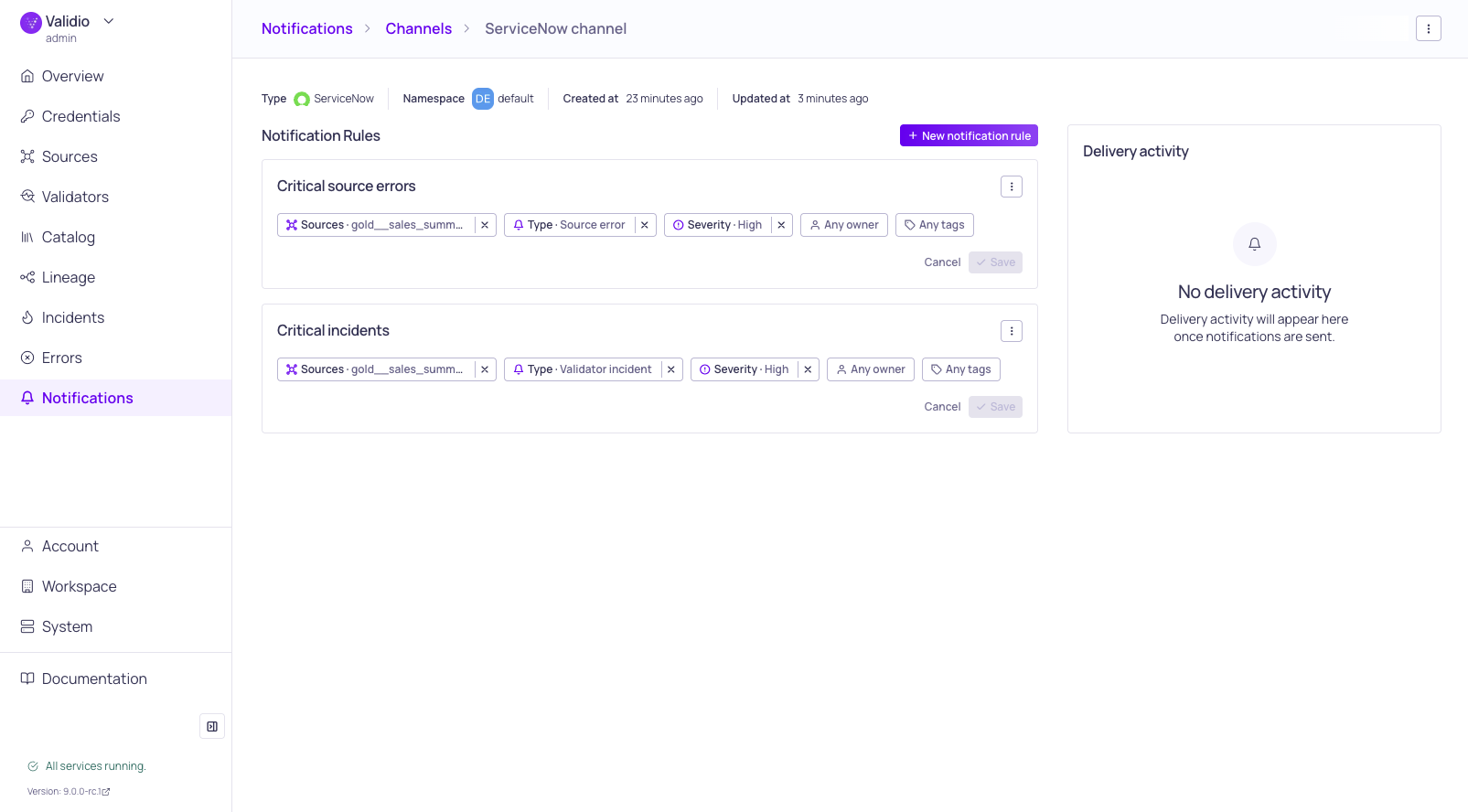
Channel details page with notification rules
Open a channel by navigating to Notifications > Channels and clicking its name. The channel details page shows:
- A Summary with the channel's type, integration, namespace, and timestamps.
- A Notification rules list, where you can add new rules, edit their conditions, or remove them.
- A Delivery feed that shows recent notifications delivered through this channel, so you can verify that alerts are reaching the intended destination.
Interactive Notification Messages
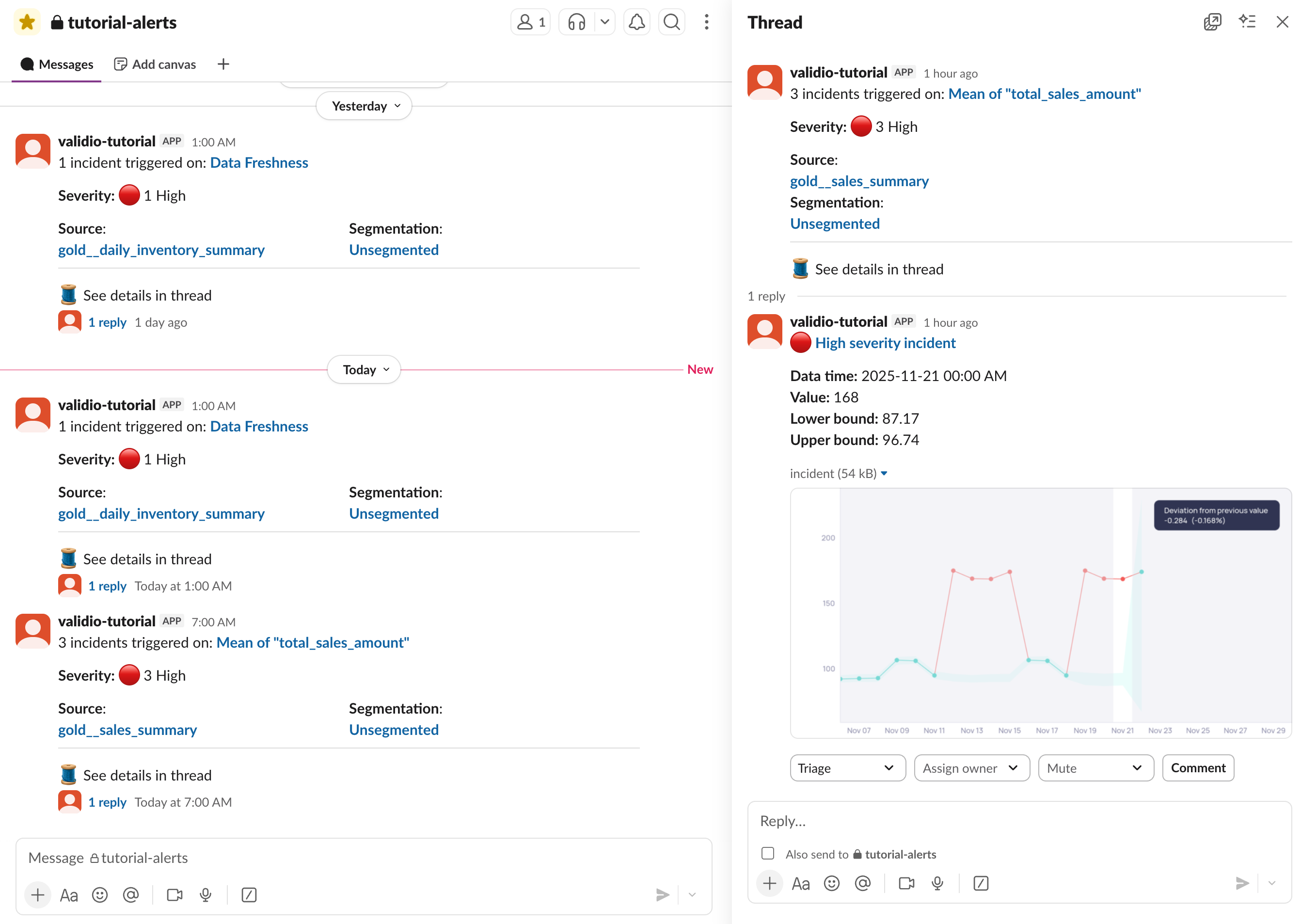
Slack notification message with metric graph and actions
When you enable Interactive messages on an integration, you can manage incidents directly from notification messages. Available actions include:
- Update incident status — Resolve the incident or provide feedback to improve the anomaly detection model.
- Assign ownership — Designate team members to resolve issues.
- Mute incidents — Suppress future notifications for specific issues.
- Add comments — Document investigation progress for team visibility.
Interactive message features vary by channel, with some platforms offering more options than others.
Updated about 2 months ago