

Filter Types
Detailed configuration parameters for Boolean, Enum, Null, String, SQL, and Threshold filter types in Validio.
Boolean Filter
Filter records based on a boolean field.
| Parameter name | Parameter values |
|---|---|
| Filter type | Boolean filter |
| Field | List of source fields with Boolean data types |
| Operator | Is true Is false |
Enum Filter
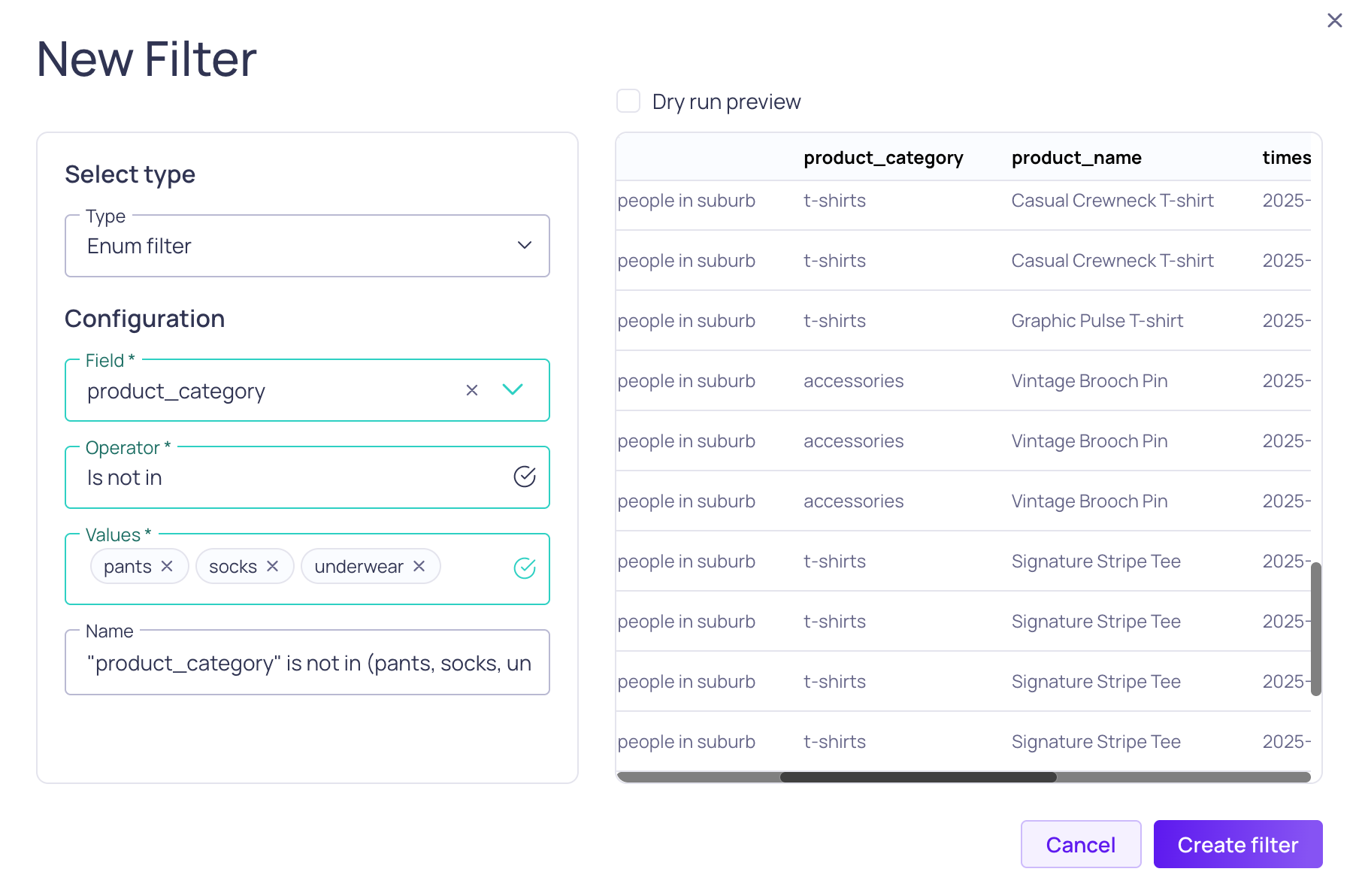
Enum filter and preview
Filter records based on whether field values are part of a defined set.
| Parameter name | Parameter values |
|---|---|
| Field | List of source fields with string data types |
| Operator | Is in Is not in |
| Value | List of strings |
Null Filter

Null filter configuration and preview
Filters records on whether a field values are NULL.
| Parameter name | Parameter value |
|---|---|
| Field | List of source fields |
| Operator | Is Is not |
String Filter

String filter configuration and preview
Filter records on whether string field values match specific criteria.
| Parameter name | Parameter values |
|---|---|
| Field | List of source fields with string data types |
| Operator | Is empty Is not empty Contains Does not contain Starts with Ends with Is exactly Regex |
| Value | String |
Supported Regex Syntax Depending on source system, Validio leverages different regex syntax:
- For Data Warehouses and Query Engines, regex filters are applied in the source system. For more information on that syntax, refer to the regex syntax of your specific source system.
- For Data Streams, the regex syntax is compatible with the
Rust regex library. For information on that syntax, refer to Rust - regex crate syntax.
Threshold Filter
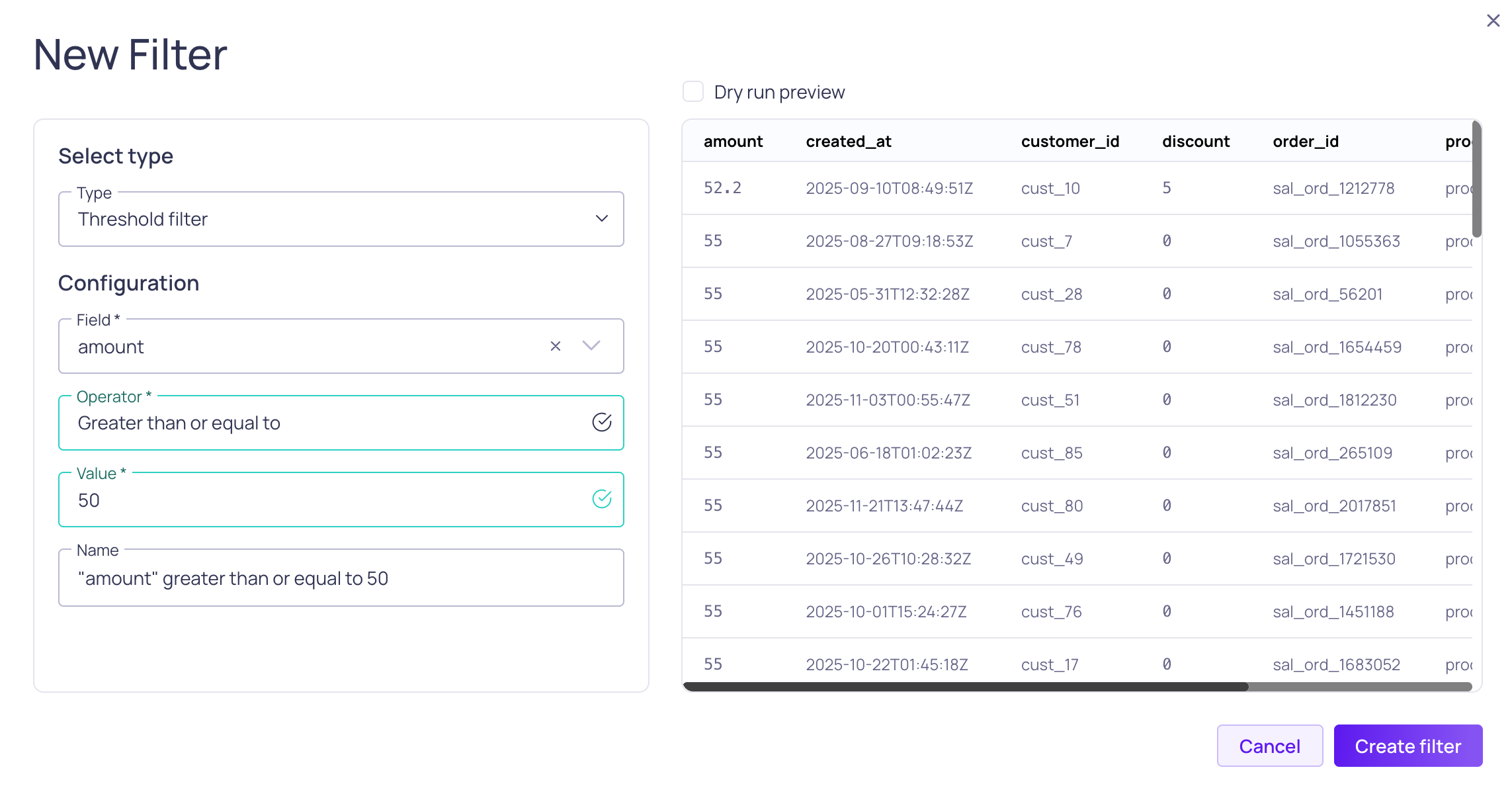
Threshold filter configuration and preview
Filter records on whether numeric values comply to a threshold.
| Parameter name | Parameter values |
|---|---|
| Field | List of source fields with numeric data types |
| Operator 1 | Equal to Not equal to Greater than Greater than or equal to Less than Less than or equal to |
| Value | Float number |
1Specifies the 'allowed region'. For example,Greater than or equal to 5 specifies that all values strictly less than five will be filtered.
SQL Filter
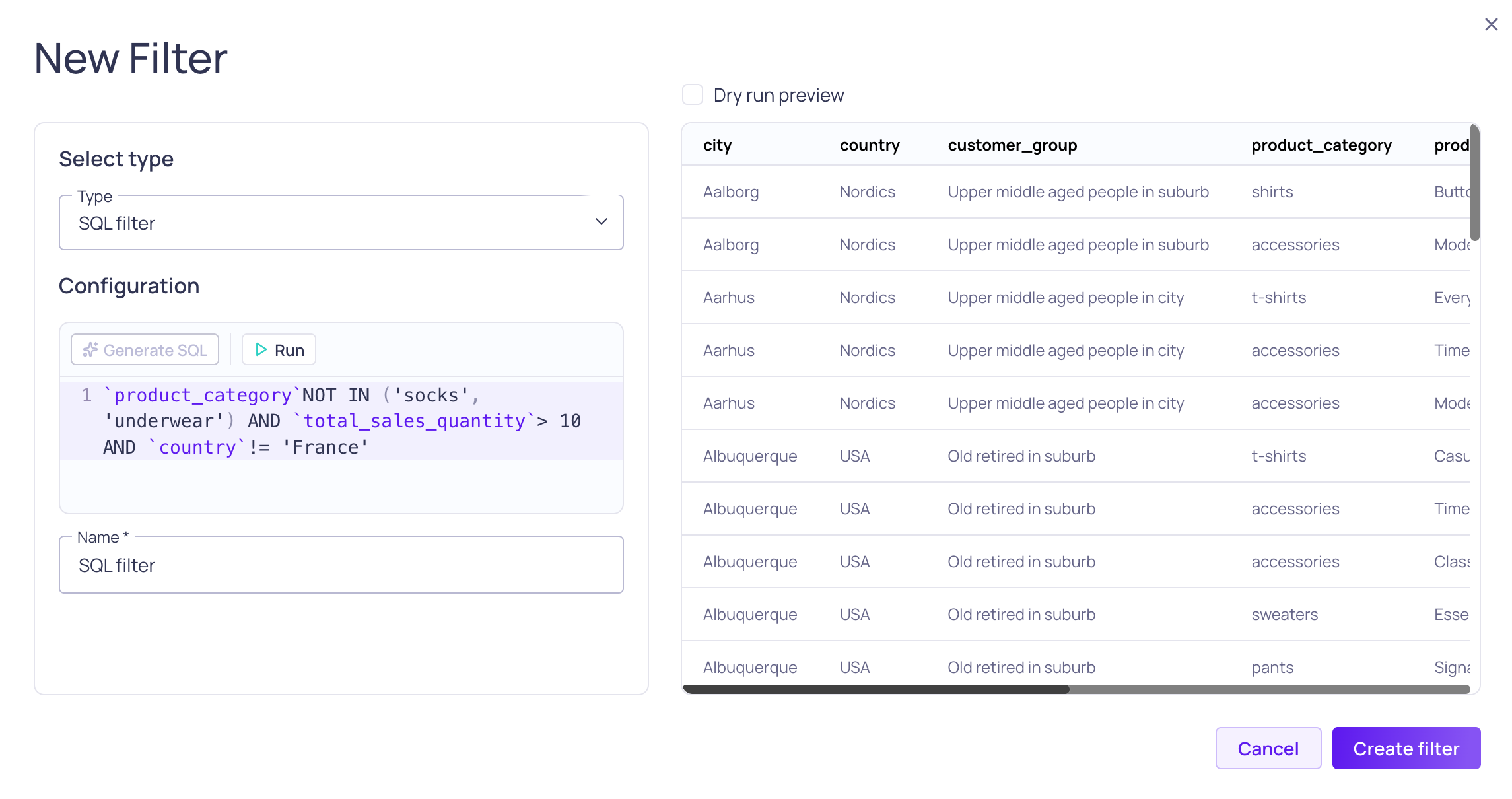
SQL Filter configuration with preview
You have two options for defining the SQL filter query:
- Writing a valid SQL
WHEREstatement into the text box, but omitting the word "WHERE" - Use Generate SQL to leverage AI agents to compose the SQL query for you
SQL filter works for all Source types, including non-SQL data sources. Different data sources may use different SQL syntax. For SQL sources, the expression is evaluated by that system in its own SQL dialect, so refer to the documentation of your data source. For non-SQL data sources, such as Data Streams, Validio's own engine evaluates the expression — you can find the supported functionality and syntax in the SQL Filter Expression Reference.
Writing the SQL Query
The SQL filter requires a valid WHERE statement, but the word "where" is not included. As you type your query into the prompt, Validio will suggest operators and field names based on the schema in your data.
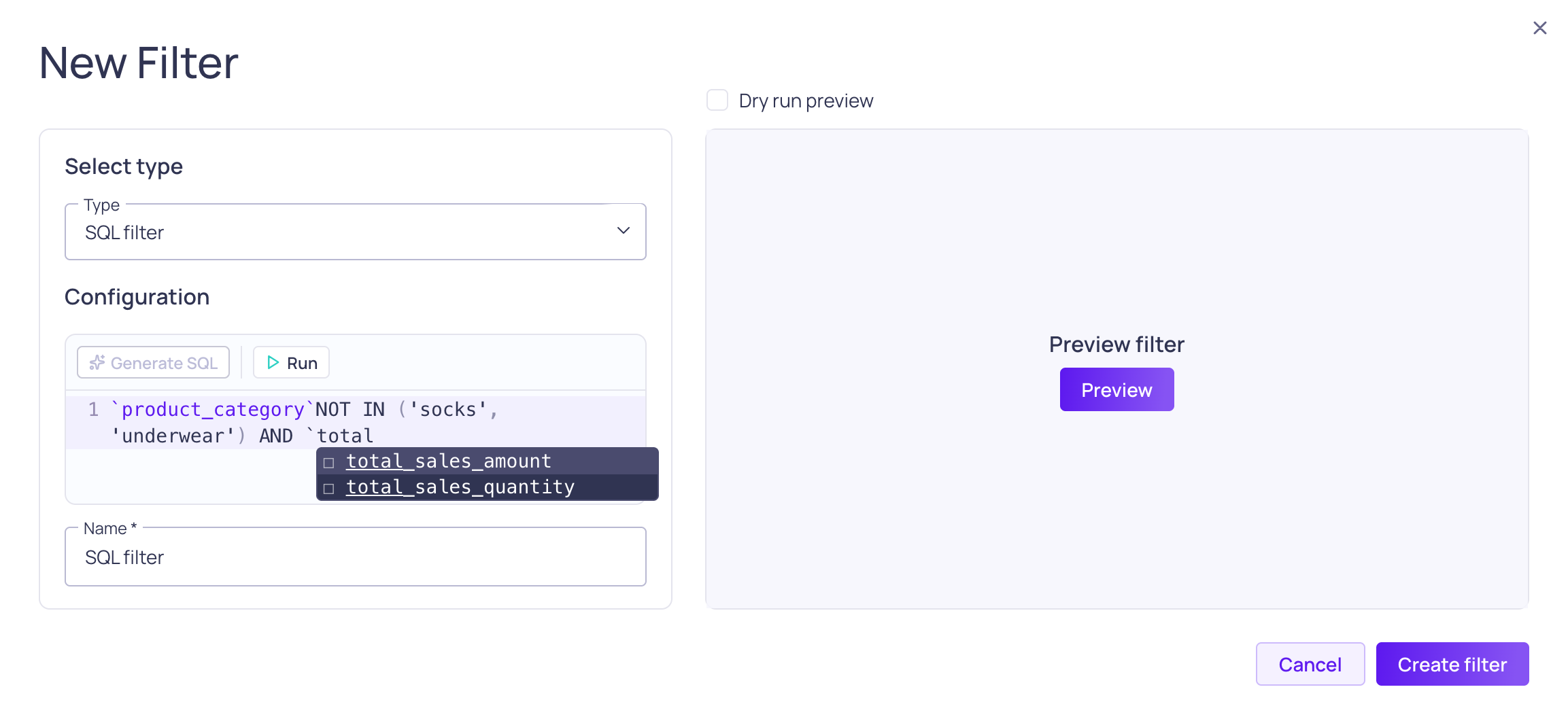
Suggestions when writing the SQL query
Generating the SQL Query
You will only be able to use the Generate SQL feature if your workspace settings allow LLM provider credentials and you have at least one credential configured. See LLM Credentials.
When you select Generate SQL, you can leverage AI agents to compose the SQL query for you.

Describe your filtering requirements and select an LLM credential to generate the SQL query
- Enter your prompt: Describe the filtering conditions, for example
- Sales that's not in category socks or underwear and quantity is more than 10. Exclude France
- Preview the query results and
- Click Accept to save the SQL query
- Click Reject to try again
SQL Filter Recipes
The following are recipes for common SQL filters. Each recipe is written in a generic syntax or in syntax specific for Google BigQuery or Snowflake, when required.
You can use these recipes as a starting point when writing SQL filters for other data sources, such as Amazon Redshift or Amazon Athena.
Filter operators
For example,some_column matches a filter with several operators.
some_column IS NULL OR (some_column > 3 AND some_column NOT IN(4,6))Exists in set
For example,some_column match either of the values 'some_value' or 'some_other_value'.
some_column IN ( 'some_value', 'some_other_value' )Missing values
For example,some_column is null or matches a value that represents a missing value.
some_column IS NULL OR LOWER(some_column) IN('', '0', '-', 'null')Semi-structured data
For example,some_array contains at least one element with value 2.
2 IN(SELECT * FROM UNNEST(some_array))array_contains(2, some_array)String pattern
For example,some_column does not contain a valid URL.
NOT REGEXP_CONTAINS(some_column, '^(http(s)?:\\/\\/.)?[-a-zA-Z0-9@:%._\\+~#=]{2,256}\\.[a-z]{2,6}\\b([-a-zA-Z0-9@:%_\\+.~#?&//=]*)')NOT REGEXP_LIKE(some_column, '^(http(s)?:\\/\\/.)?[-a-zA-Z0-9@:%._\\+~#=]{2,256}\\.[a-z]{2,6}\\b([-a-zA-Z0-9@:%_\\+.~#?&//=]*)')Updated about 2 months ago