

Reconciliation
Compare metric results across two validators on different sources to monitor cross-source consistency
Validator Overview
The Reconciliation Validator compares the metric results of two existing validators across different sources within the same namespace. By selecting a left (source) validator and a right (reference) validator, you can calculate a comparison metric — such as the difference, ratio, or sum — between their outputs. This is useful for cross-source monitoring, such as verifying that row counts or aggregate values stay consistent between a production database and a downstream analytics warehouse.
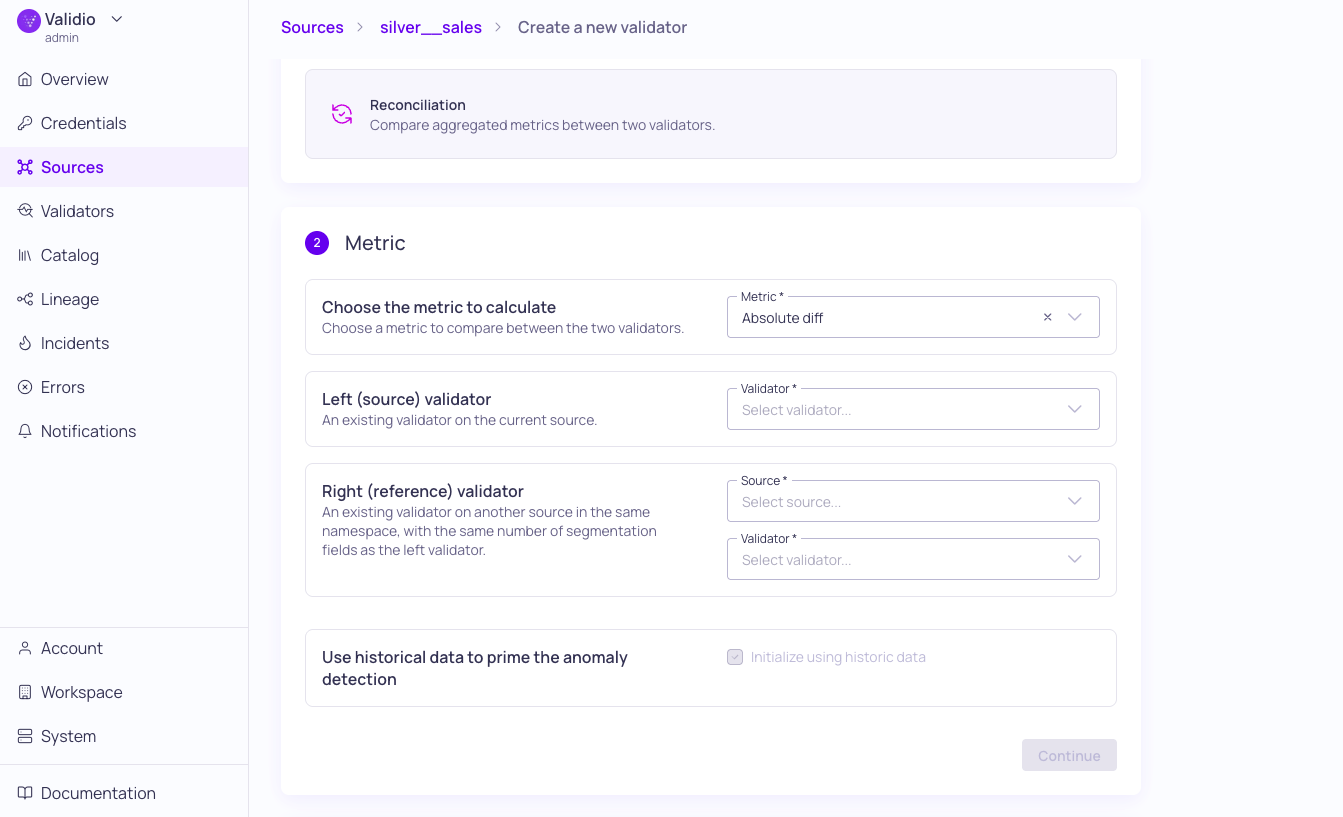
Reconciliation validator Metric configuration
For an overview of all validator types, see Validator Types.
Metric Configuration Parameters
The following parameters are used to configure the Metric calculation for this validator.
| Parameters | Description |
|---|---|
| Metric | Choose a metric (Absolute Diff, Diff, Ratio, Sum) to compare between the two validators. |
| Left (source) validator | Select an existing validators on the current source |
| Right (reference) validator | Select an existing validator on another source in the same namespace. The right validator must have the same number of segmentation fields as the left validator. |
| Segmentation mapping | For non-matching segmentation fields, provide the mapping between the left and right validators. |
Window Compatibility
The Window determines how data is aggregated before computing the reconciliation metric. To ensure a valid calculation, the following restrictions apply:
| Left (source) Window | Right (reference) Window | Restriction |
|---|---|---|
| Global | Global | Must match exactly. |
| Tumbling | Global or Tumbling | If both are Tumbling, they must be the same size (for example, both 24-hour windows). |
Polling and Windows
The reconciliation validator does not use the source's polling schedule. Instead, it runs automatically when its left (source) or right (reference) validators produce new metrics.
The window configuration determines exactly when polling is triggered:
| Left (Source) Window | Right (Reference) Window | Trigger |
|---|---|---|
| Global | Global | When left validator is updated |
| Tumbling | Global | When left validator is updated |
| Tumbling | Tumbling | When either validator is updated |
Note: The reconciliation validator always reads all available data from the left and right validators. Because of this, the optional backfill setting does not apply — it effectively performs a full backfill every time, similar to the first validator added to a source.
Debug Information
Because reconciliation validators operate on computed metrics rather than raw source data, the Debug information for this validator type has the following differences:
- No SQL support: There is no underlying SQL query to inspect.
- Sample records show computed metrics: The displayed records are the metric outputs from the left and right validators, not rows from the source tables.
Updated 7 months ago