

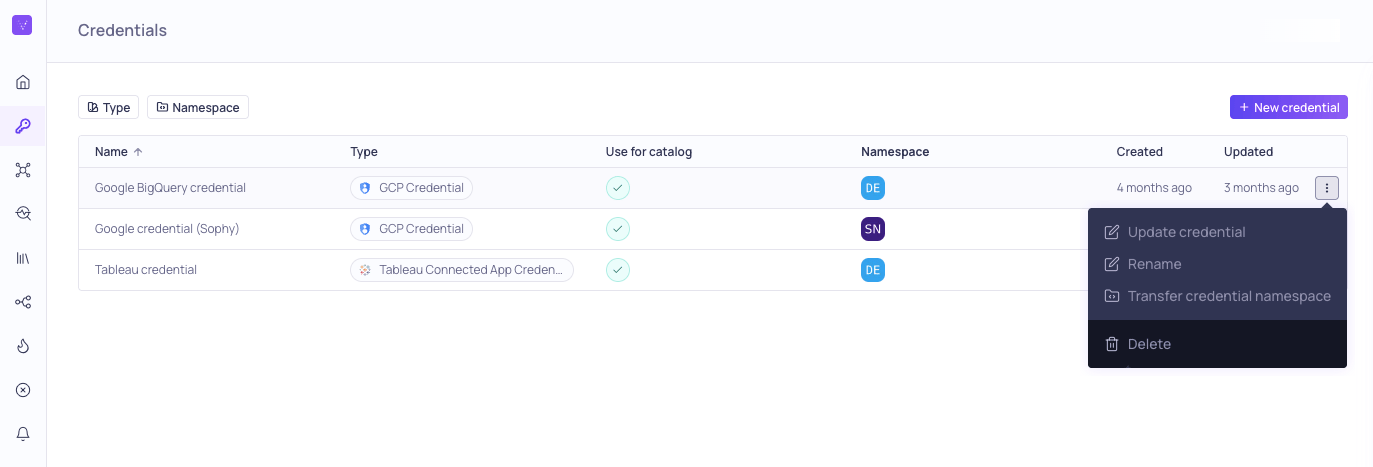
Credentials page with management options
Add a new credential
To add a new credential,- Navigate to Credentials and click + New credential.
- Select the Credential type you want to add.
- Fill in the credential parameters. The required credential parameters depend on the source type, channel, or BI Tool you are creating the credential for.
- (Optional) Check Use for catalog and schema checks to discover assets from this credential and add them to the Catalog page.
- Click Create.
Manage existing credentials
You can manage existing credentials using the⋮ menu options:
- Update - Edit the configuration, such as changing the username and password for the associated service account or enabling the credential for catalog and schema checks. You can only update the credential if you have permission to edit it.
- Rename - Change the identifier used to reference the credential in Validio.
- Transfer credential namespace - Move the credential to a different namespace. This update automatically applies to all linked sources and related configurations (validators, filters, and incidents). However, you will need to manually update notification rules and channels for transferred sources.
- Delete - Remove the credential from Validio.
Delete all connected sourcesYou cannot delete a credential if it is connected to at least one source. Before you can delete a credential, make sure to first delete all connected sources. For more information, see About Sources.