

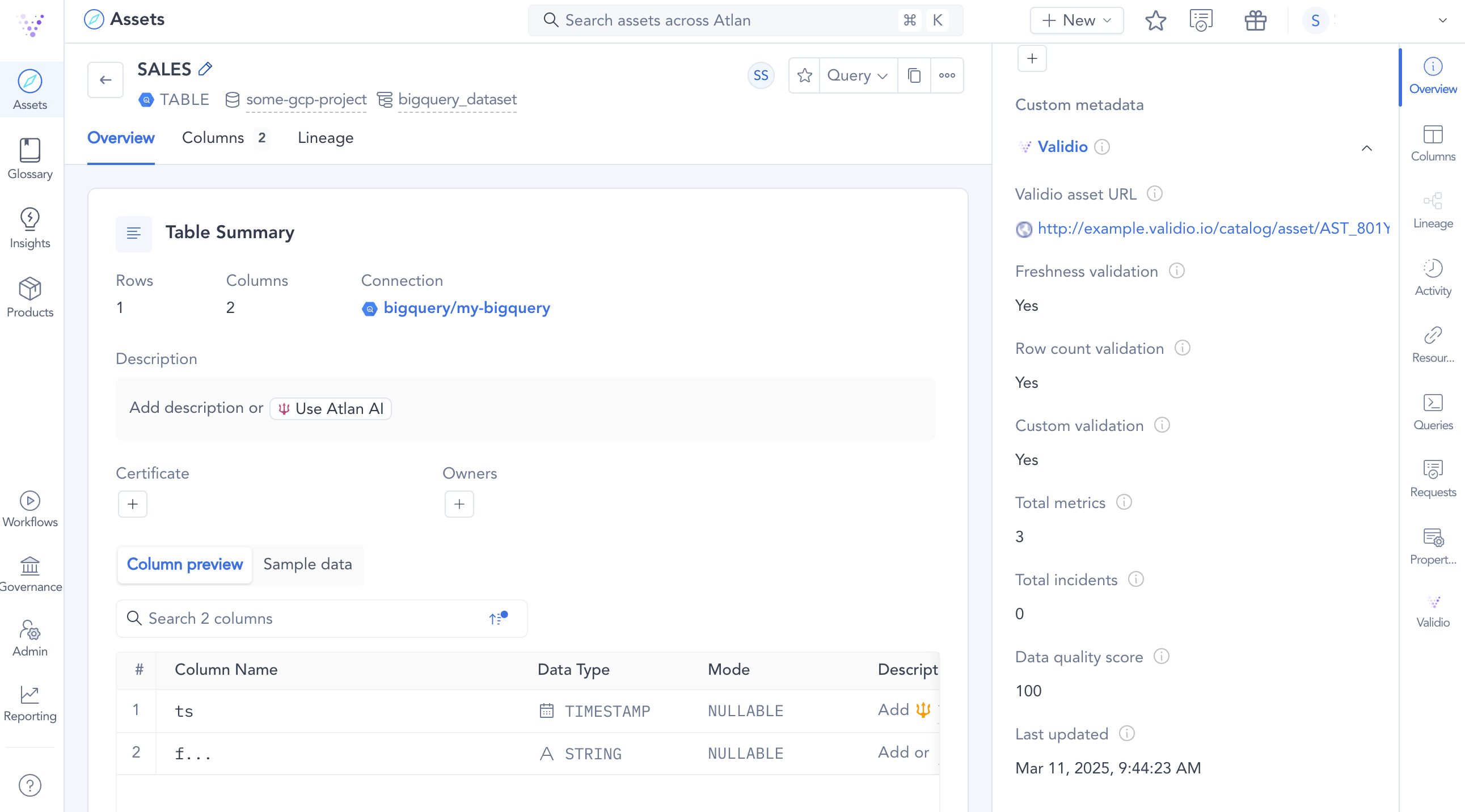
Example of Validio metric information viewed in Atlan
The data quality score sent to Atlan is a snapshot of the most recent poll, so it can differ from the data quality score shown in Validio. The Atlan score uses only each validator’s latest result and counts every incident regardless of status, while the score in Validio covers a selected time range and excludes resolved and false-positive incidents.
Prerequisites for integrating with Atlan
To connect Validio to your Atlan instance, you will need:- The URL to your Atlan instance and an Atlan API token to create the credential in Validio.
Add a credential for Atlan
To add an Atlan credential in Validio,- Navigate to Credentials, and click + New credential.
- Under Namespace, select a namespace to define where resources will be created and who can access it.
- Under Credential Type, select Atlan Credential.
- Fill in the Configuration parameters for the credential. For more information, see Atlan Credential Parameters.
- (Optional) Click Test credential to validate that Validio can successfully access the Atlan account. If validation fails, check that you provided the correct parameter values.
- Click Create credential.
Atlan credential parameters
Asset mapping between Validio and Atlan
The following describes how assets are mapped between Validio and Atlan:- Atlan will discover assets for each connection or credential. If you add identical connections twice, Atlan will discover two identical assets. Validio will deduplicate assets. If two Validio credentials discover the same asset, Validio treats them as one asset.
- When mapping assets to Atlan, Validio accounts for the type, catalog, schema, and table—so, there cannot be duplicates between different warehouses, such as Snowflake and Postgres. If one Validio asset resolves to multiple Atlan assets, all Atlan assets will be updated based on the assumption that the assets are the same but originate from different workflows or connections.