

CUST_ID in one system might become customer_identifier in another.
The Suggest Edges feature uses a two-tier matching algorithm to automatically suggest field-level lineage connections between two assets. It combines fast heuristic rules with optional LLM refinement to find matches even when field names differ across systems.
Prerequisites
lineage:WRITEpermission (granted to Editor and Admin roles by default). For more information, see Managing Roles.- (Optional) An LLM credential for enhanced semantic matching. Without one, only heuristic matching is available.
Start a suggestion workflow
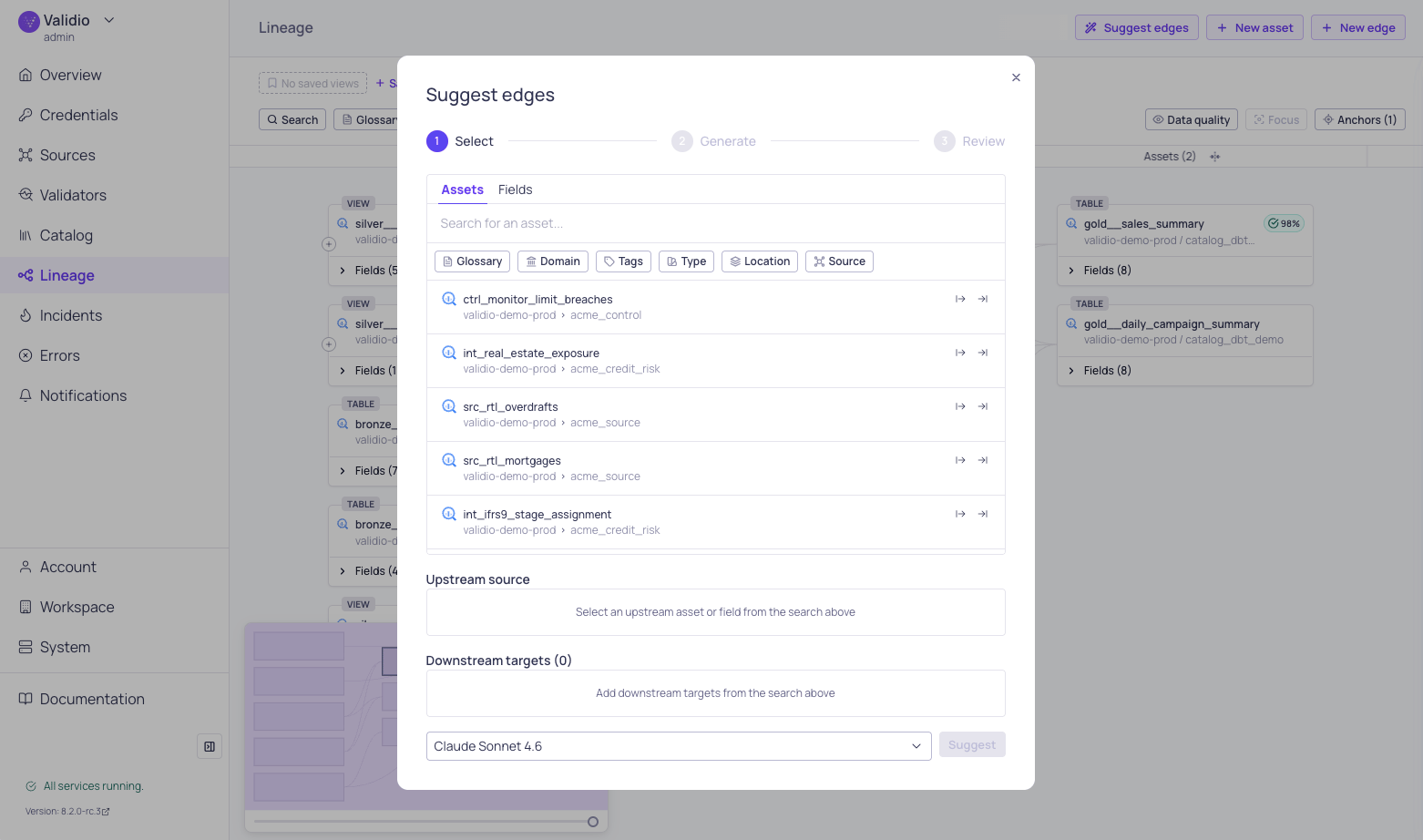
Suggest edges configuration window
- Navigate to the Lineage page and load a graph with your assets.
- Click Suggest edges in the toolbar.
- In the Selection phase, choose the assets to match:
- Select an Upstream source asset — use the search to find it by name. You can select at the asset level or pick a specific field using the Assets and Fields tabs.
- Select a Downstream target asset in the same way.
- Choose a matching method:
- Heuristic matching (default) — Fast, rule-based matching that runs without an LLM. Best for straightforward name variations.
- LLM-enhanced — Select an LLM credential from the dropdown for deeper semantic analysis. Recommended when field names differ significantly or when business context matters.
- Click Start to begin the matching workflow.
Matching progress
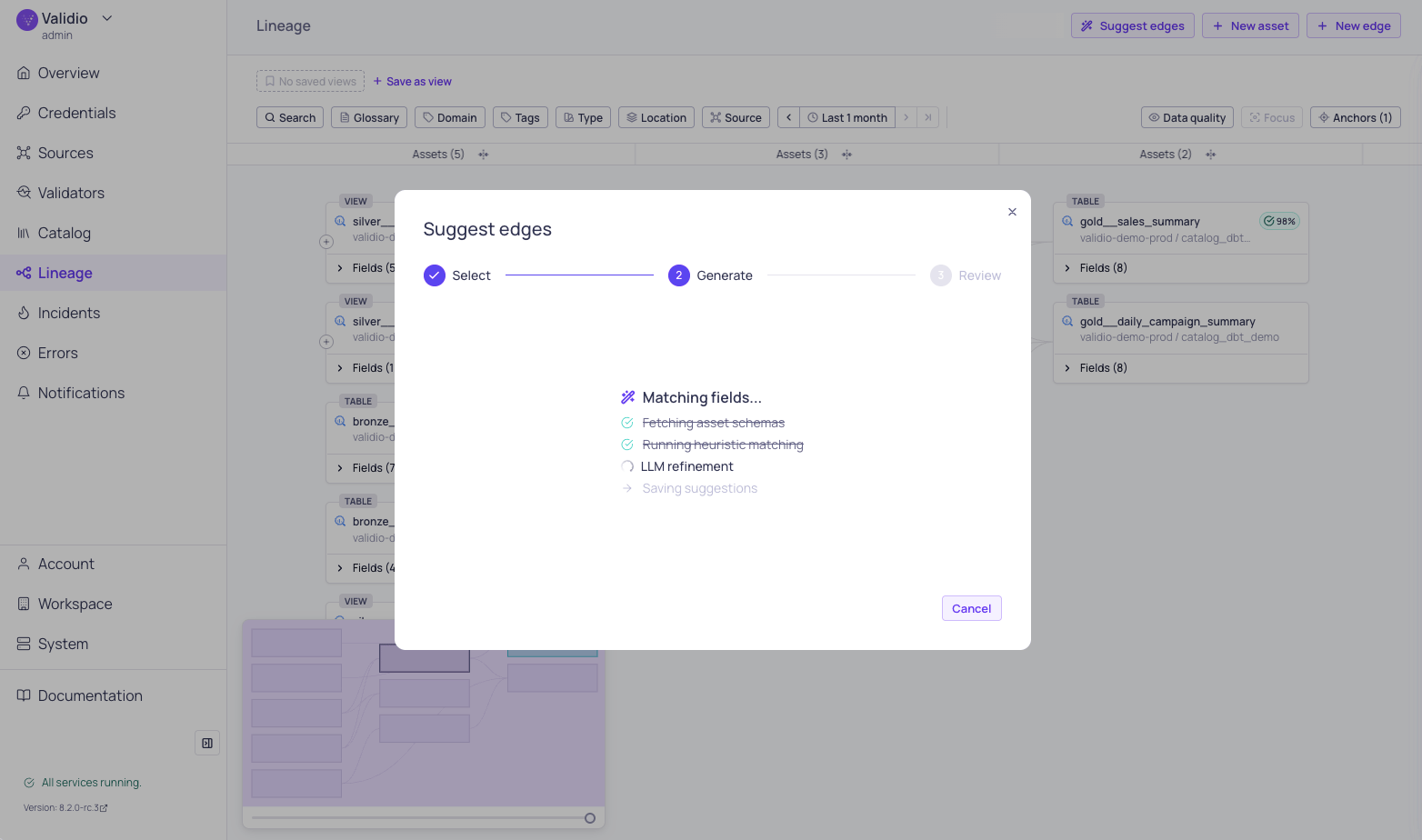
Suggest edges matching progress
- Fetching context — Loads schemas, glossary terms, tags, descriptions, and existing edges for both assets.
- Running heuristic matching — Applies rule-based signals to score all possible field pairs.
- LLM refinement (if an LLM credential was selected) — Uses AI to validate heuristic matches, find semantic matches the heuristics missed, and generate human-readable explanations.
- Preparing results — Saves suggestions for review.
Review suggestions
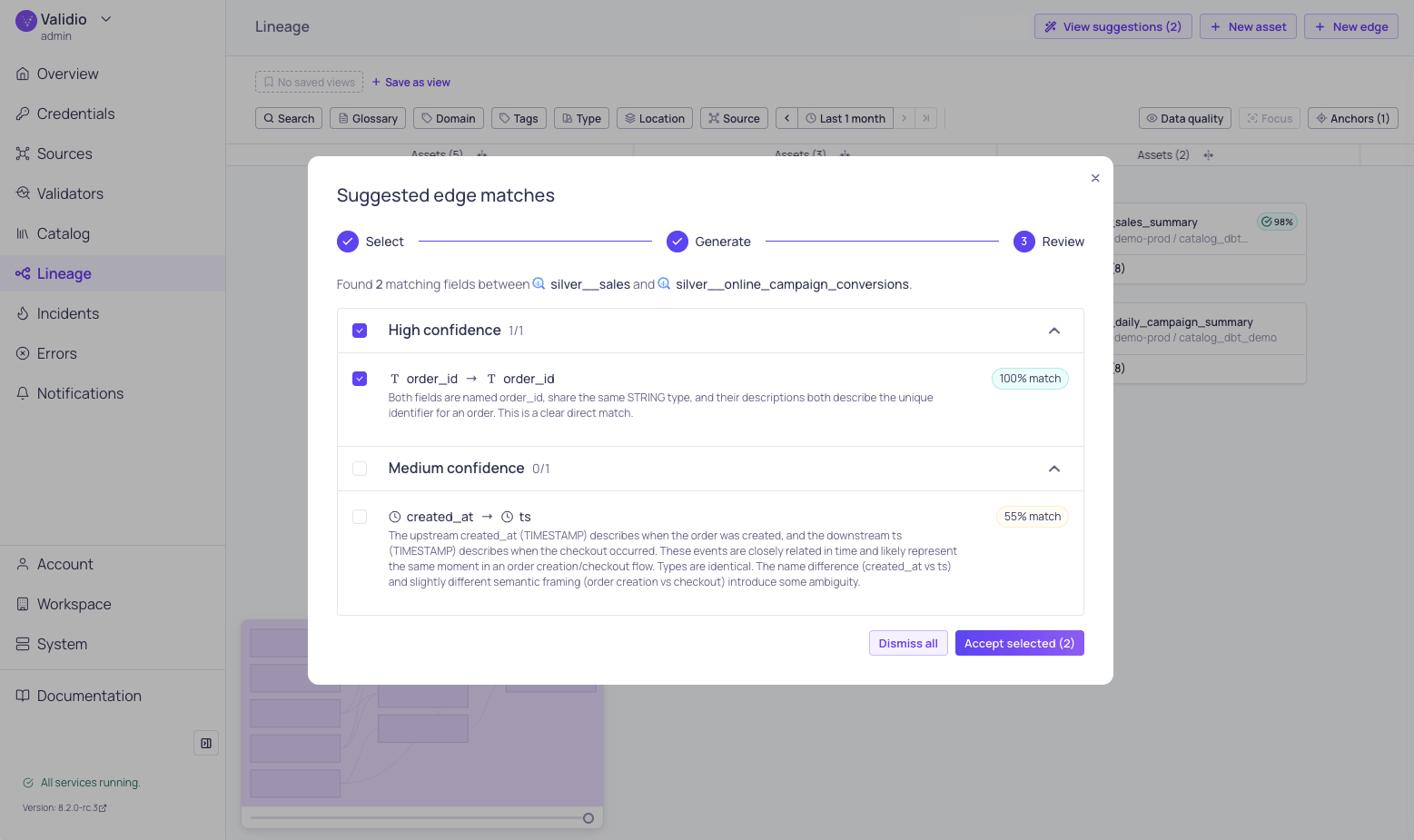
Suggested edge matches
- High confidence — Strong matches with multiple corroborating signals. These are almost certainly correct.
- Medium confidence — Likely matches that may benefit from human verification.
- Low confidence — Possible matches based on weaker signals. Review carefully before accepting.
- Upstream field and Downstream field names with their parent asset.
- Confidence chip — Color-coded indicator (high, medium, or low).
- Match score — A percentage representing the overall match strength.
- Match type — The primary reason for the match:
- Explanation — A description of why the match was suggested, including which signals contributed.
- Checkbox — Select or deselect individual suggestions for acceptance.
Accept or dismiss suggestions
After reviewing, you have two options:- Accept selected — Creates lineage edges for all checked suggestions. The new edges appear immediately in the lineage graph.
- Dismiss all — Discards all suggestions without creating any edges.
How matching works
The suggestion engine uses a two-tier approach to balance speed and accuracy.Heuristic matching
The heuristic tier analyzes all possible field pairs between the two assets, taking into account:- Field names — Handles differences in casing, delimiters, abbreviations, and naming conventions across systems.
- Data types — Considers type compatibility between source and target fields.
- Business metadata — Uses glossary terms, tags, and descriptions to identify fields that share the same business meaning.