

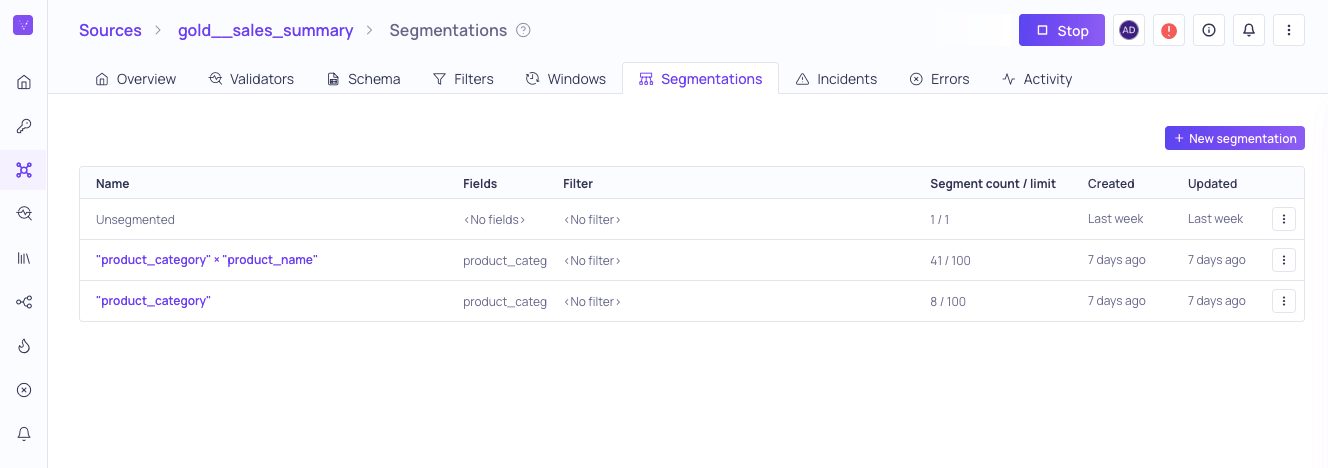
Segmentations configured on the gold__sales_summary source
Marital status, metrics are validated for each distinct value within that field.
Segmentation with Non-Null valuesValidio displays only the Segmentations with non-Null values. Fields that include a Null value will not be shown.
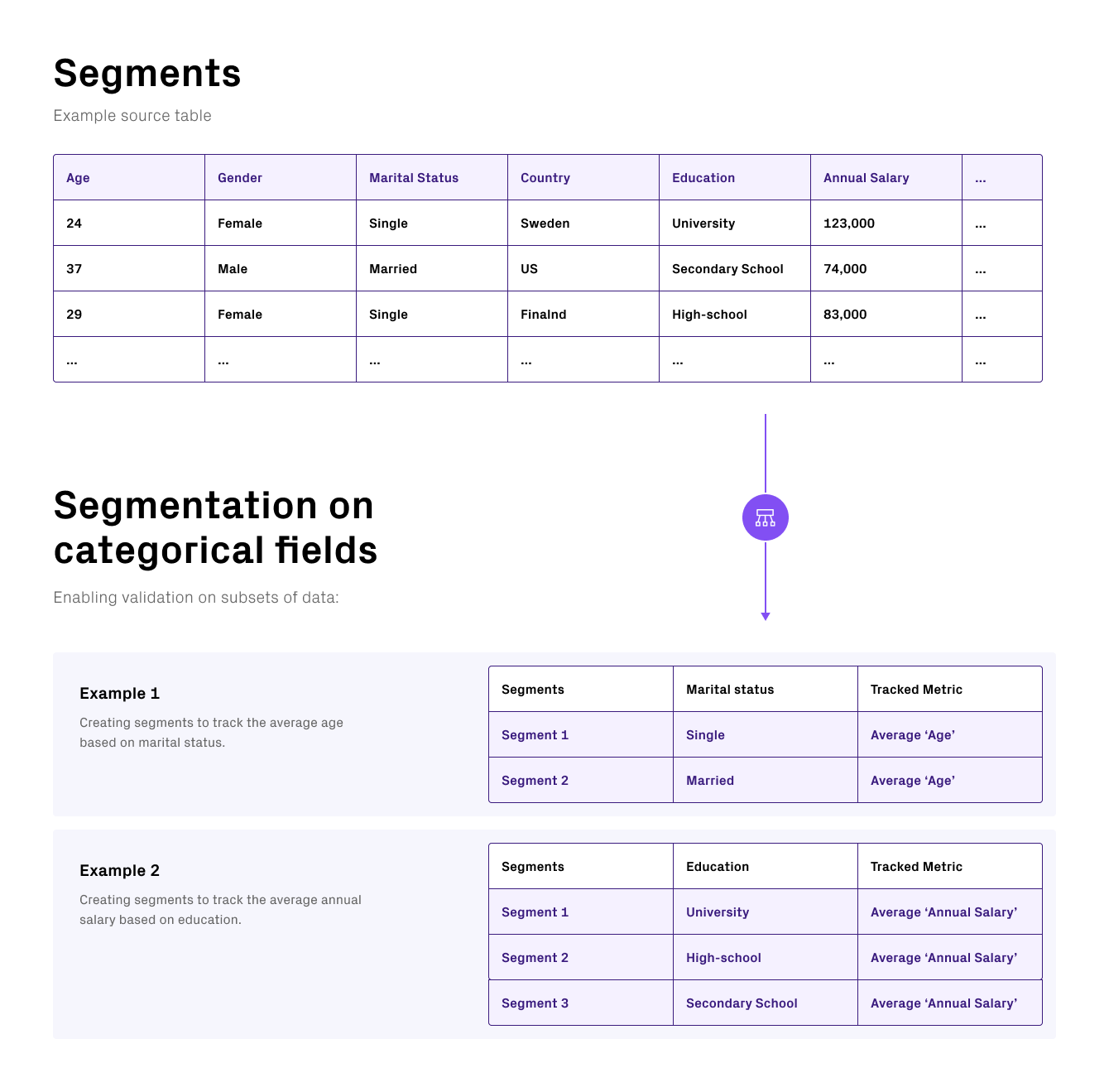
Segmentation allows you to validate data within segments of your data.
Multi-field segments
You can create Segmentations on multiple fields. For example, if a Segmentation is specified for the fieldsCountry, Gender, and Marital status, the metric Average of "Annual salary" is validated for each combination of distinct values within Country, Gender, and Marital status.
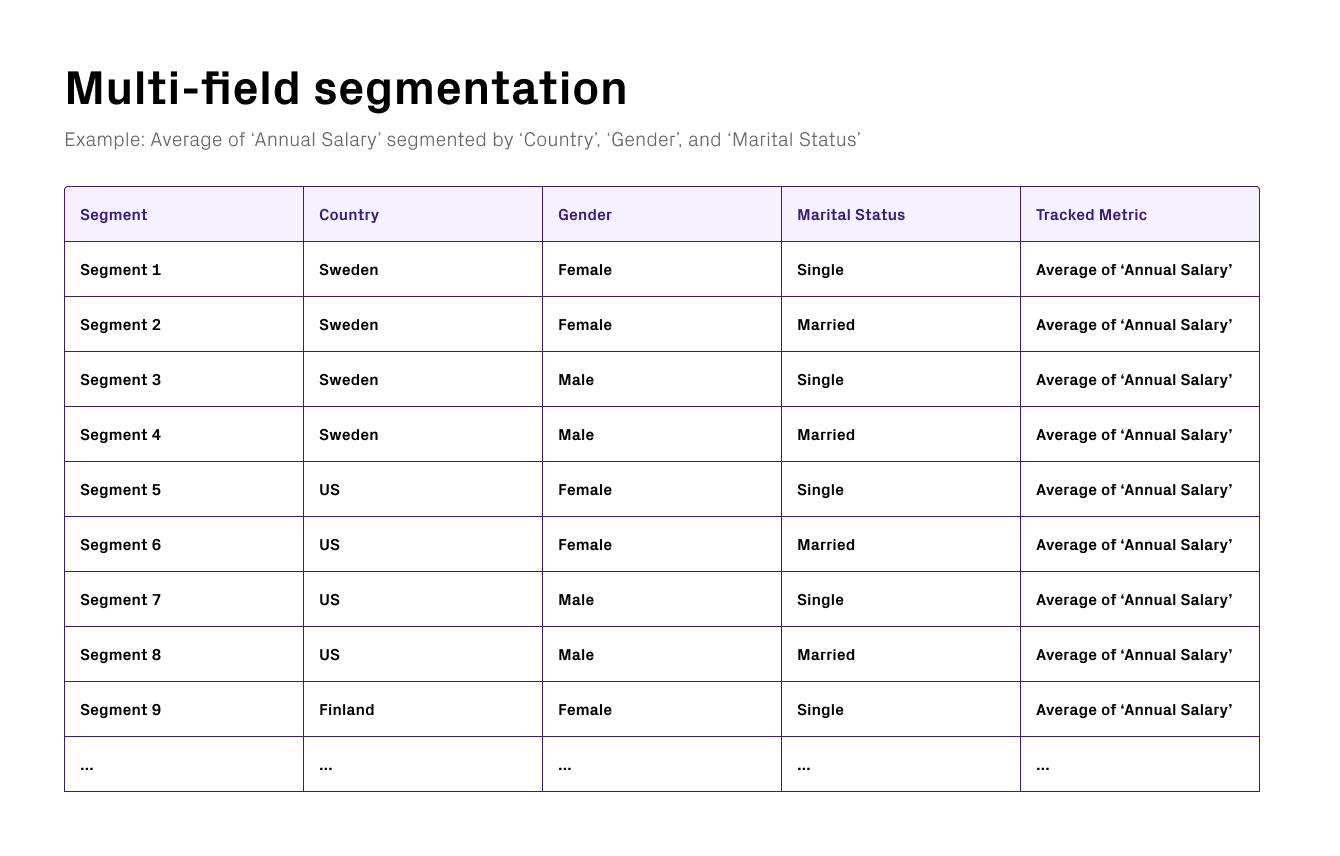
Example Segmentation on the three fields: Country, Gender, and Marital status, tracking average Annual salary for each of the segments.
Segmentation example
A retail organization wants to validate their price data, to make sure their products are properly priced. For validating purposes, they want to use the fieldsprice and currency. Because of differences in currency, the prices have different orders of magnitude, which means that only validating datapoints from the price column makes little sense. The data must be segmented based on currency, before performing a data quality validation to make sure there are no anomalies,
Think of the difference in the order of magnitude if the same price for a specific item is expressed in USD versus Iranian Rial, where the conversion rate is ~ 1 USD = ~ 40 000 Iranian Rial.
If no Segmentation is applied to validate price data in currency, the retail organization would be comparing apples with cars.
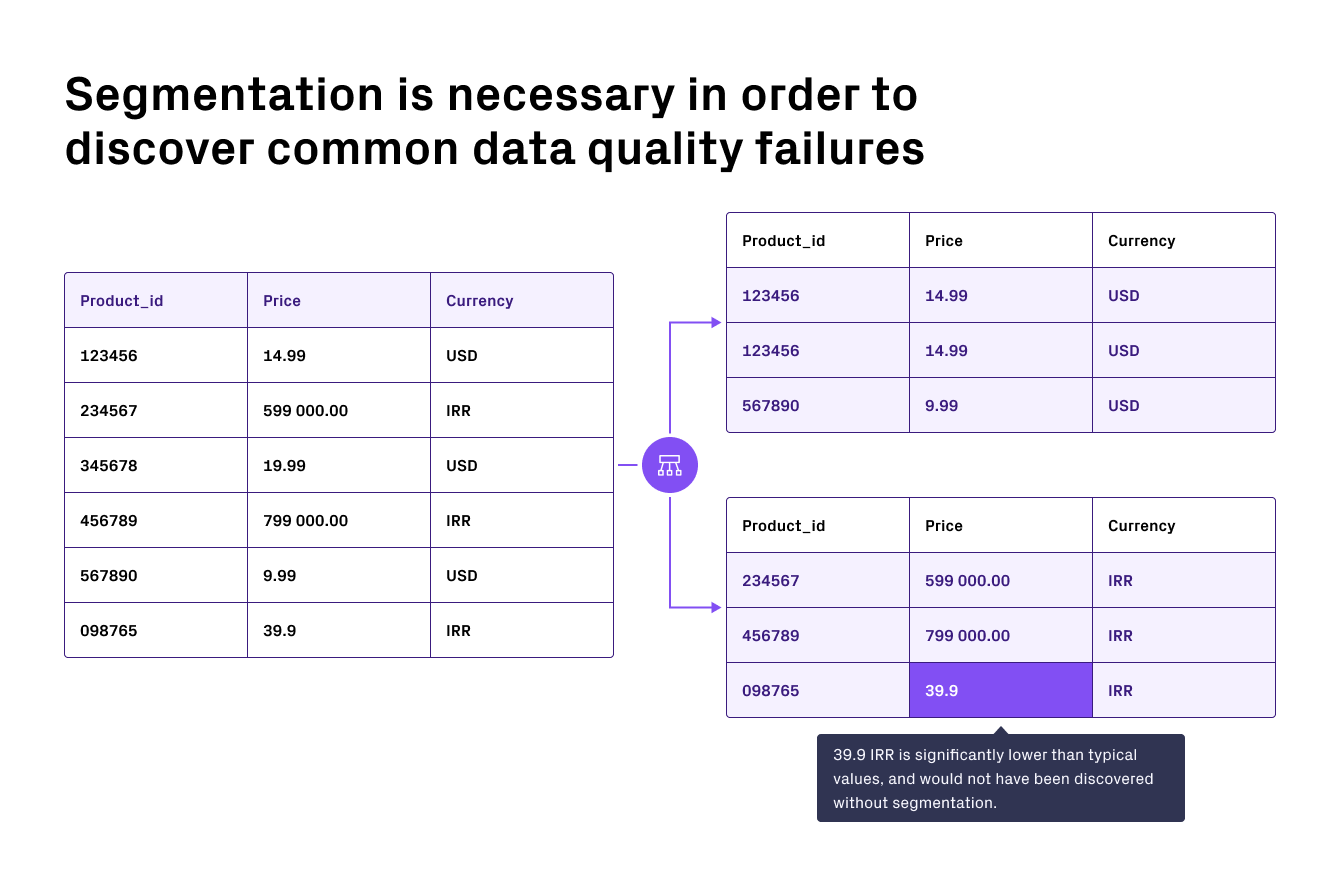
Example on an anomaly detected in the Currency = IRR segment.