

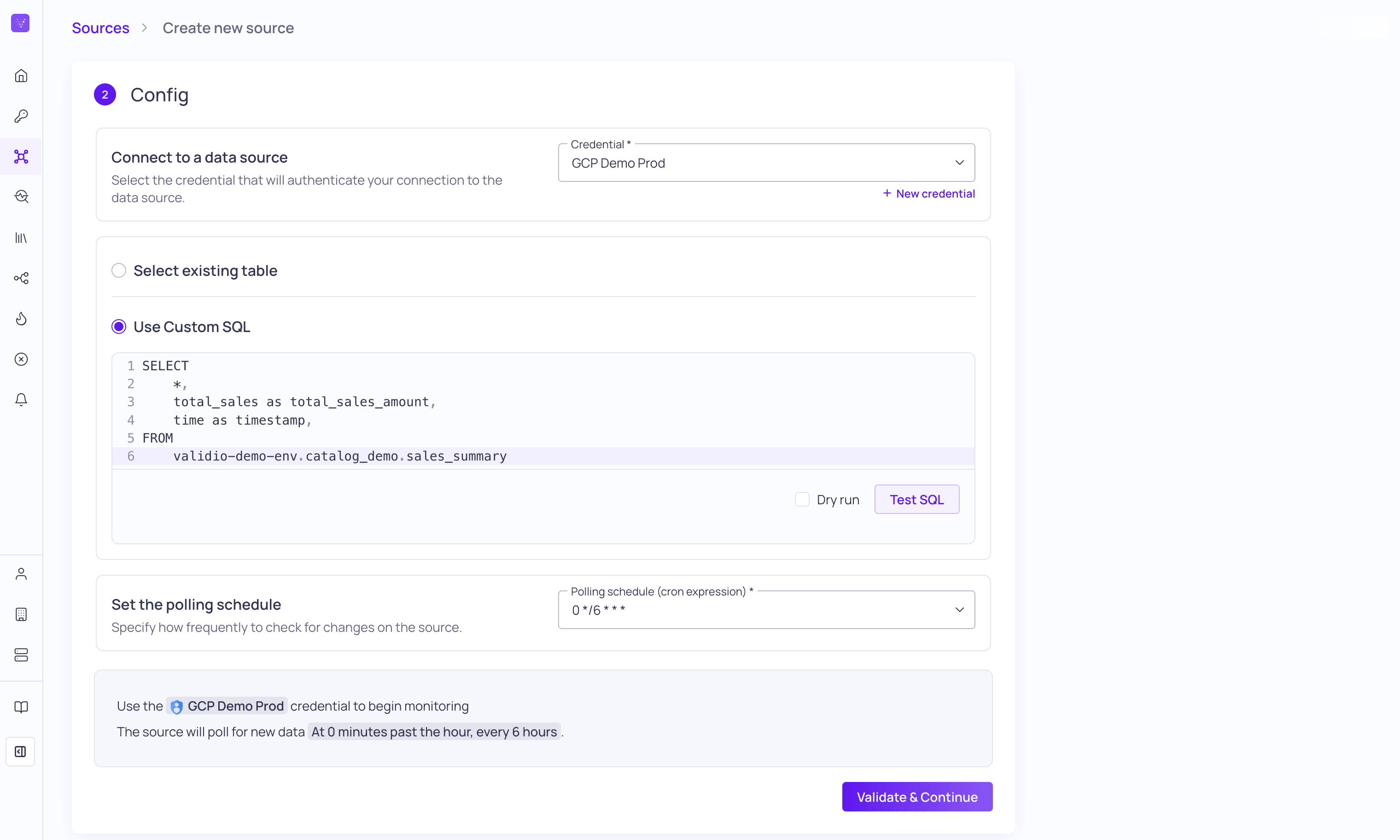
Use Custom SQL to configure the data source
Choosing between a SQL source and a Custom SQL validator
Validio’s extensive library of out-of-the-box validators covers most data quality rules. When you need to go beyond them, you have two options that can be used independently or together:- Custom SQL Source: reshape, join, or enrich the data so an out-of-the-box validator applies. The validator logic stays standard; only the dataset definition is custom.
- Custom SQL Validator: keep the source as-is and define a bespoke metric calculation in SQL. Use this when the metric itself isn’t expressible as an out-of-the-box validator.
Whenever a Custom SQL Source can do the job, prefer it — out-of-the-box validators come with richer root cause analysis workflows than Custom SQL Validators do. Both kinds of validator get a generated debug query, but a Custom SQL Validator’s wraps your own metric query rather than reading the source table directly, so it returns the rows behind that query rather than the raw records.
Query syntax
The query for a custom SQL source is plain SQL, written in the dialect of the warehouse the source connects to. Its result set defines the dataset Validio monitors: every column the query returns becomes a field on the source.What the query must return
The query can return any result set. The columns it returns, and the types Validio infers for them, become the source schema. When you create a source, schema inference is a separate step in the wizard: the column list is fixed at that point, and re-inferred whenever you edit the query afterward. Downstream configuration addresses those columns by name rather than the columns of the underlying tables, so name them deliberately — segmentations, filters, and validators all reference the fields the query returns.Timestamp column for tumbling windows
If the source will carry a tumbling window, the query must return a timestamp column for the window to use as its Data-time field. The field is configured on the window rather than on the source, so a query that returns no timestamp column can still back a global window, which evaluates on clock-time instead.Previewing the query
Select Preview to run the query and return sample rows before you commit to it. Previewing is optional — schema inference does not depend on it — but it is the quickest way to confirm the query returns what you expect. For how preview data is handled, see Data Handling and Retention.Using a validator on a Custom SQL source
When you add a Custom SQL validator to a custom SQL source, the source query is added to the validator query as a CTE at runtime. The validator must therefore use{{ validio_source_table() }} as its table identifier instead of naming a table directly, so that it reads from that CTE. For more information, see Source Table.
Out-of-the-box validators need no such handling — they read the source’s fields exactly as they would for any other source.
Warehouse-specific requirements
Snowflake credentials must have an active warehouse for custom SQL to be available. If the credential or its service user has no warehouse, update it before configuring a custom SQL source. See Snowflake.Supported source types
The following data sources support using custom SQL. For other sources, see About Sources.Data Warehouse Sources
Query Engine Sources
Transactional Databases
Use cases for Custom SQL sources
The following are some use cases for why you would choose to configure your sources with custom SQL.Assessing cross-asset dependencies
A cross-asset dependency check evaluates data quality across two or more assets — for example, parity between a source and target table, referential integrity between fact and dimension tables, or row-count reconciliation across a transformation. By defining a custom SQL source that joins the relevant assets, you can express the dependency once and apply any out-of-the-box validator to the result. For end-to-end examples, see Custom SQL Validator Recipes.Creating data diff views
Custom SQL sources are well suited for comparing two datasets — for example, before and after a transformation, source against target, or a snapshot against the current state. Define the diff in SQL once, and monitor it with any out-of-the-box validator to catch unexpected changes.Preprocessing data before validation
Use a custom SQL source to reshape data so that it fits an out-of-the-box validator, instead of relying on a Custom SQL Validator to handle every transformation inline. Preprocessing in the source layer keeps validator logic standard and unlocks Validio’s full debug query and root cause analysis support.- Reused Shared SQL Code — You may find yourself replicating the same logic across multiple custom SQL validators. If that is the case, you can isolate that code in a custom SQL source. These can include code for casting strings to timestamps repeatedly, as well as more complicated logic transformation logic. An added benefit of moving this shared logic to custom SQL sources is that you might be able to take advantage of out-of-the-box validators, leading to improved debug queries and RCA workflows.
- Dynamic Segment Creation — You might have a column that you want to compute further aggregations on. For example, you can convert numeric ages into a categorical dimension of age groups; or take a date and break it down into individual components of year, month, and day. Doing this will then allow you to take advantage of all of our downstream segmentation functionality for these dynamically created categorical dimensions.
- Precomputing Segment Frequencies — For more intricate segment filtering, you can precompute segment frequencies or counts as part of a custom SQL source and then use these frequencies for filtering within Validio.