

- Generate SQL automatically from natural language descriptions of what you need to validate in your data
- Quickly fix broken SQL when the query test returns errors and fails
Prerequisites
This feature requires that you have:- Enabled the AI Feature > Allow LLM Credentials setting in your Validio Workspace. See Managing Workspace Settings.
- Configured at least one LLM credential, such as Anthropic, in your namespace. Each credential is connected to one model. See LLM Credentials.
- Granted permissions to run SQL queries in the namespace:
sqlExecution:WRITE. See Managing Roles
Generating SQL in custom validators
LLM credentials simplifies the configuration of custom SQL validators. Instead of writing the SQL query for the metric calculation from scratch, use the Generate SQL button to describe the metric you want to calculate and let the AI model generate the SQL query for you.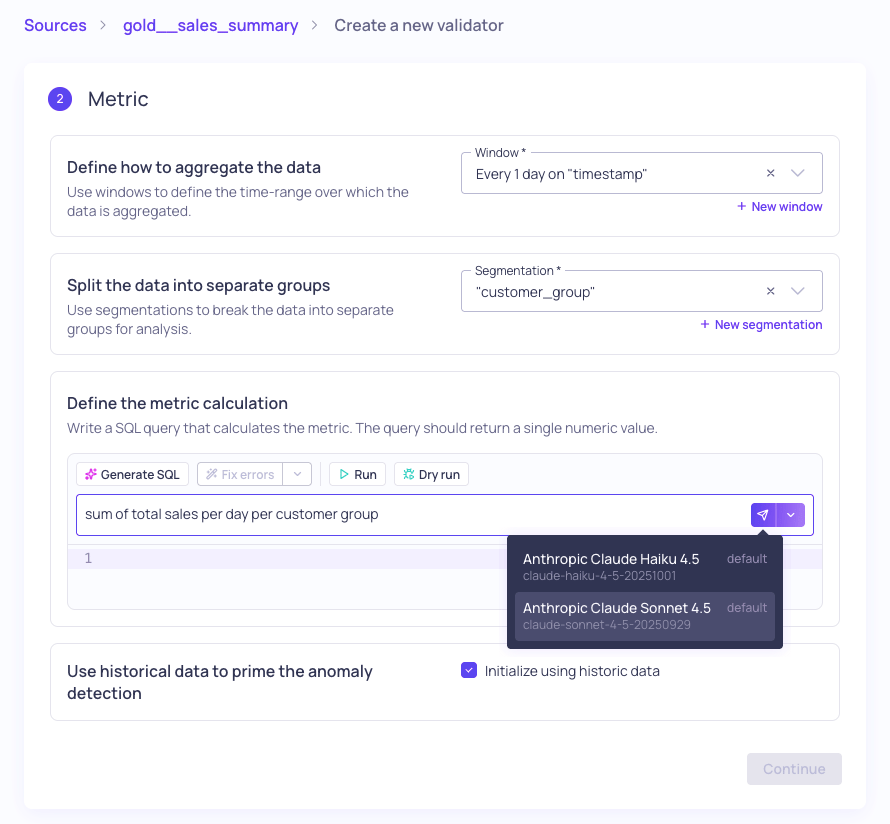
Selecting the LLM credential with the model to generate the query
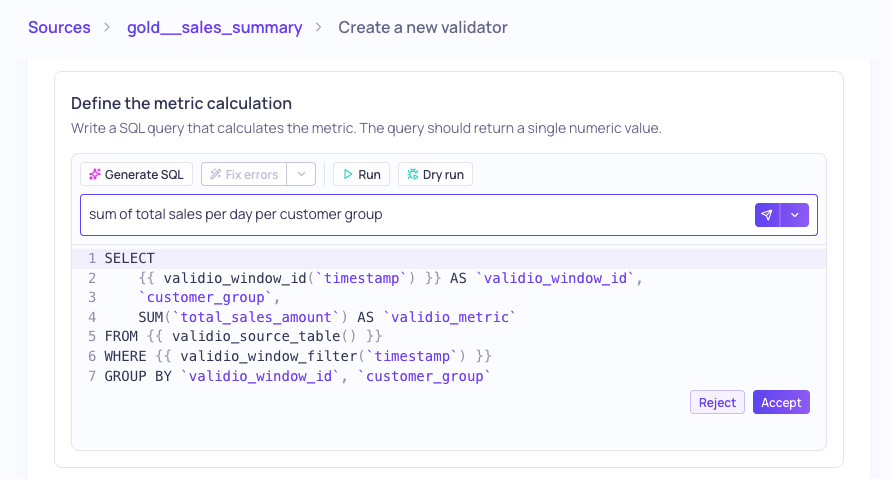
Generated SQL query with options to accept or reject (or test again)
Fixing errors in SQL queries
If testing your custom SQL query returns errors, you can use Fix errors and select an LLM credential to analyze and correct the errors for you.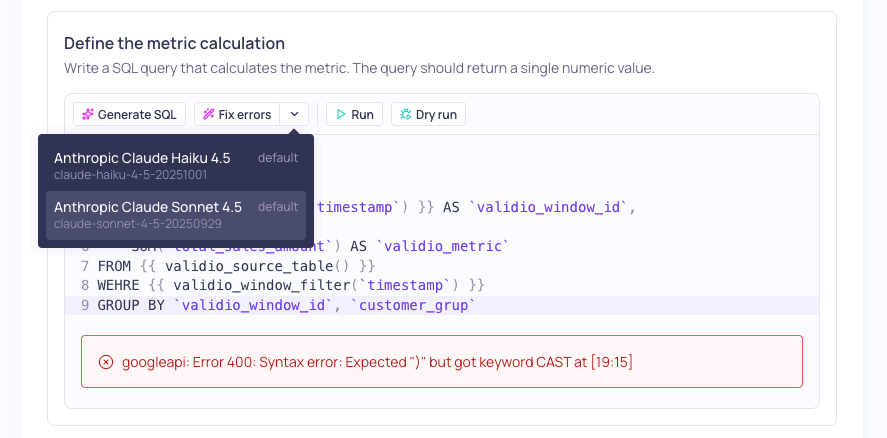
Selecting the LLM Credential to fix query errors
Generating SQL in filters
The LLM credential can also assist with writing a SQL filter query. In the SQL filter configuration, use Generate SQL to describe your filtering requirements, and select the LLM credential to generate the SQL query.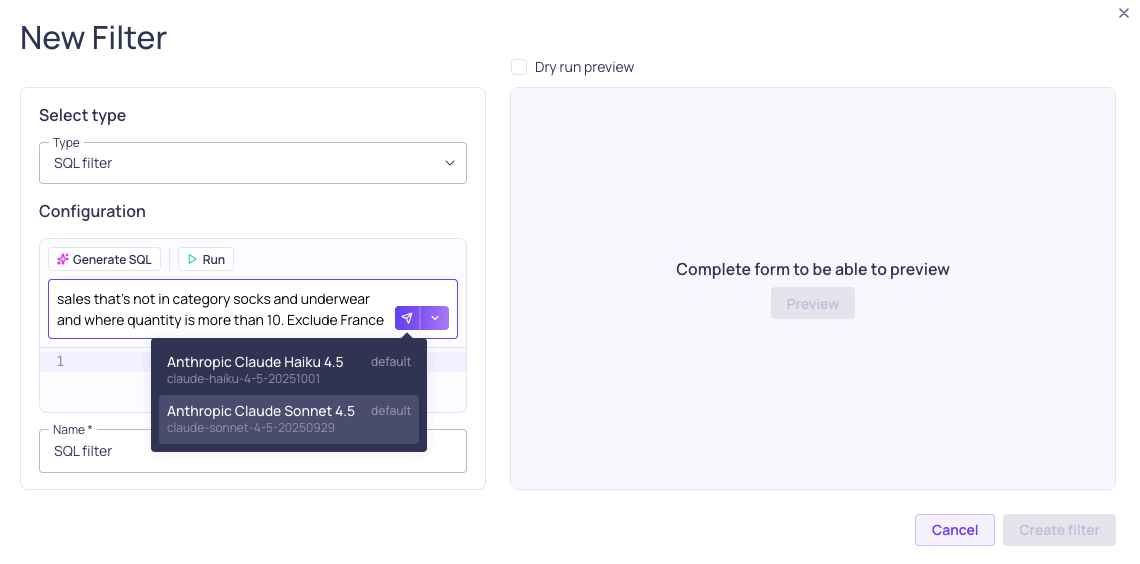
Selecting an LLM credential to generate the SQL query for your filtering requirements
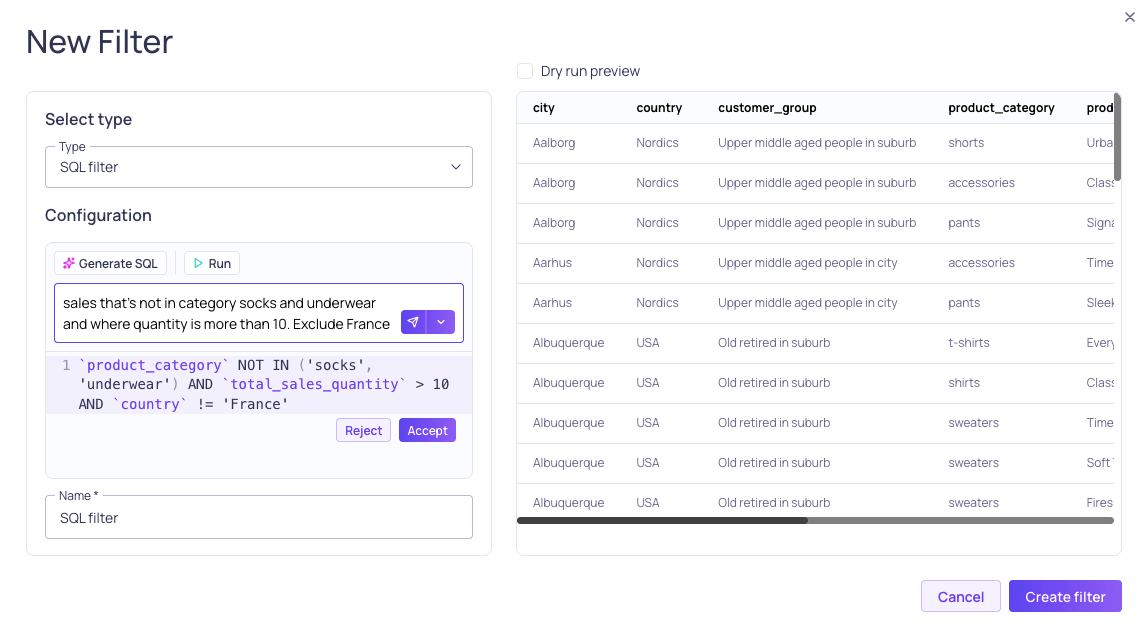
Previewing the generated filter and results