

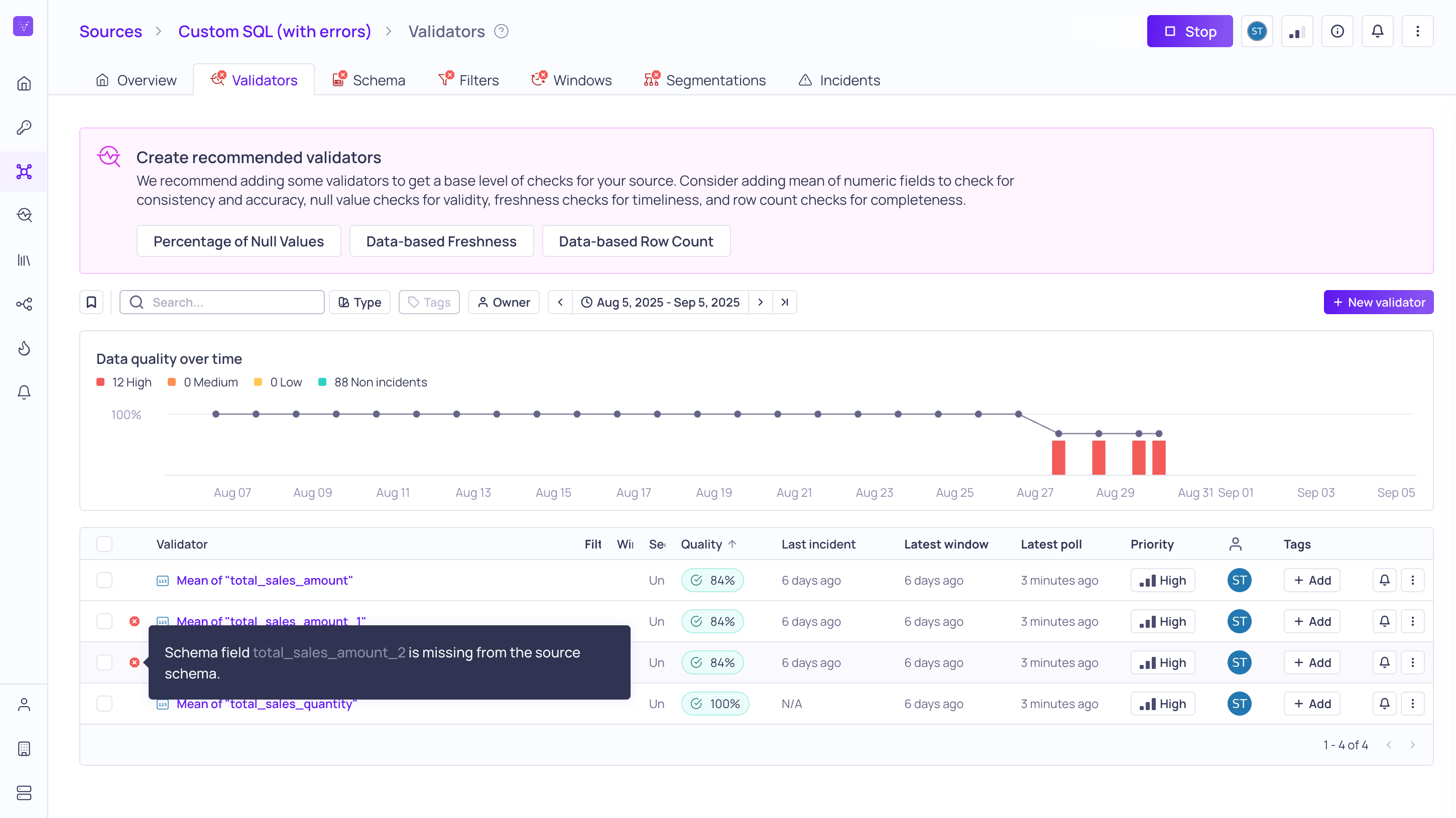
Reviewing errors on the Validators tab on a Source
Reviewing errors
You can review errors on the global Errors page and view errors directly in the context of the affected resources as badges or messages.- The global Errors page provides an overview of errors for all of your sources. You can sort the list of errors on the Date column, ascending or descending.
- On the global Sources page, you can quickly see if there are errors on individual sources by scanning the list. Sources with errors will have a red badge next to them. Most errors will have a tooltip to provide more context and a possible action to resolve the error.
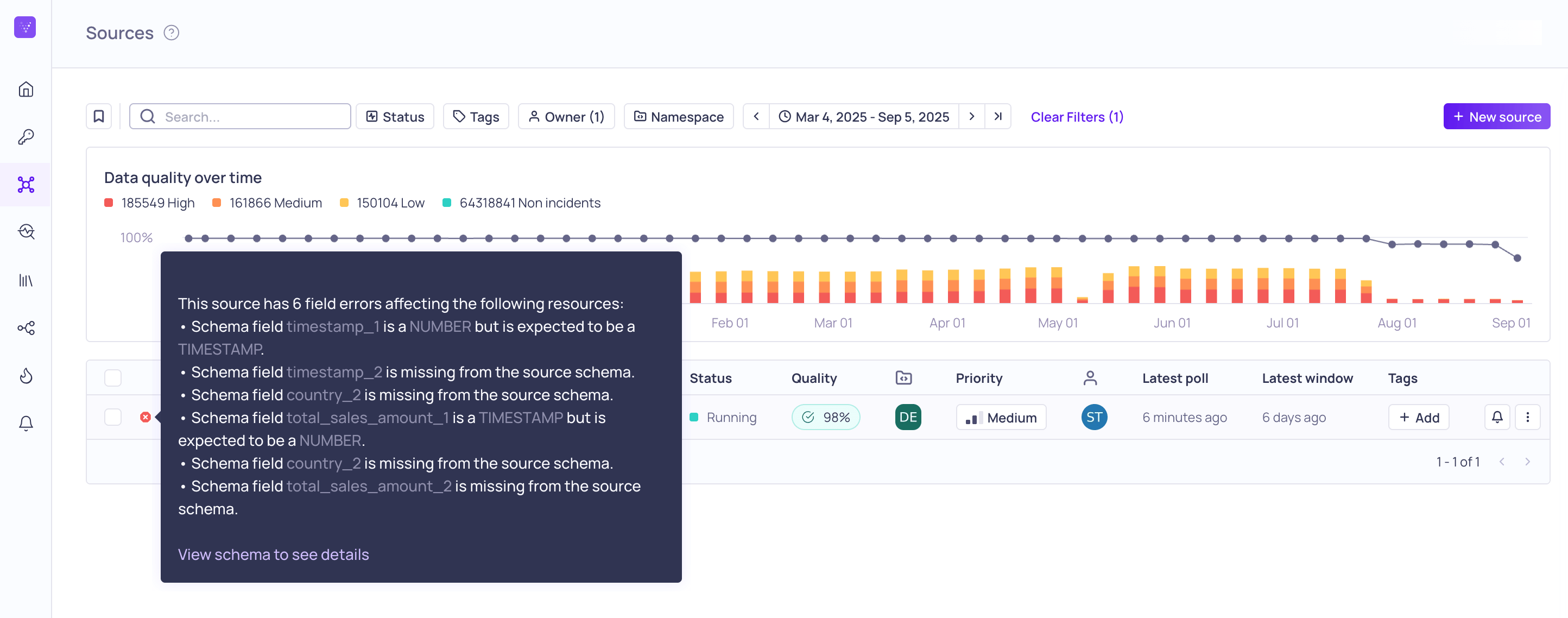
Tooltip showing the Schema Field errors on the Source with a link to the Schema tab for more information.
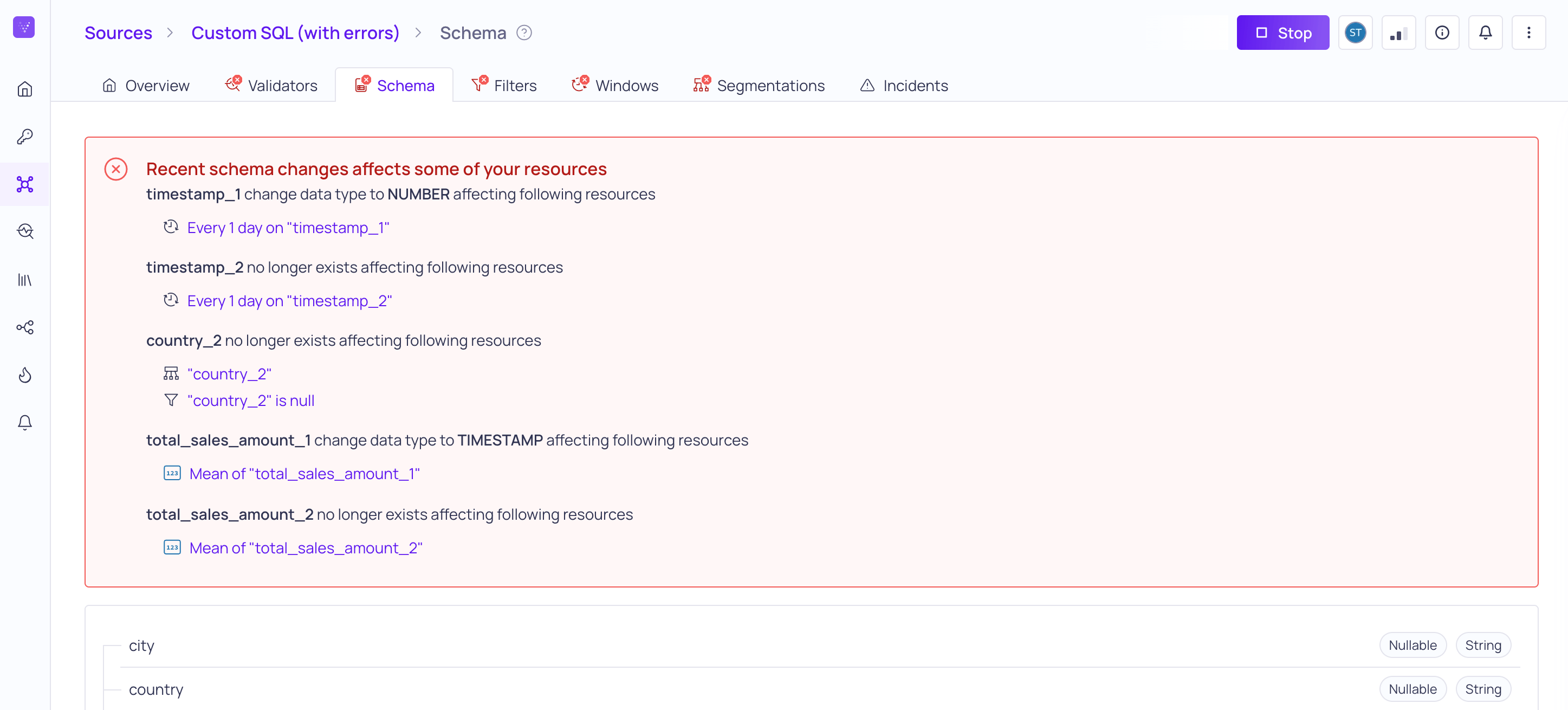
Schema Change errors displayed in the Source Schema Tab
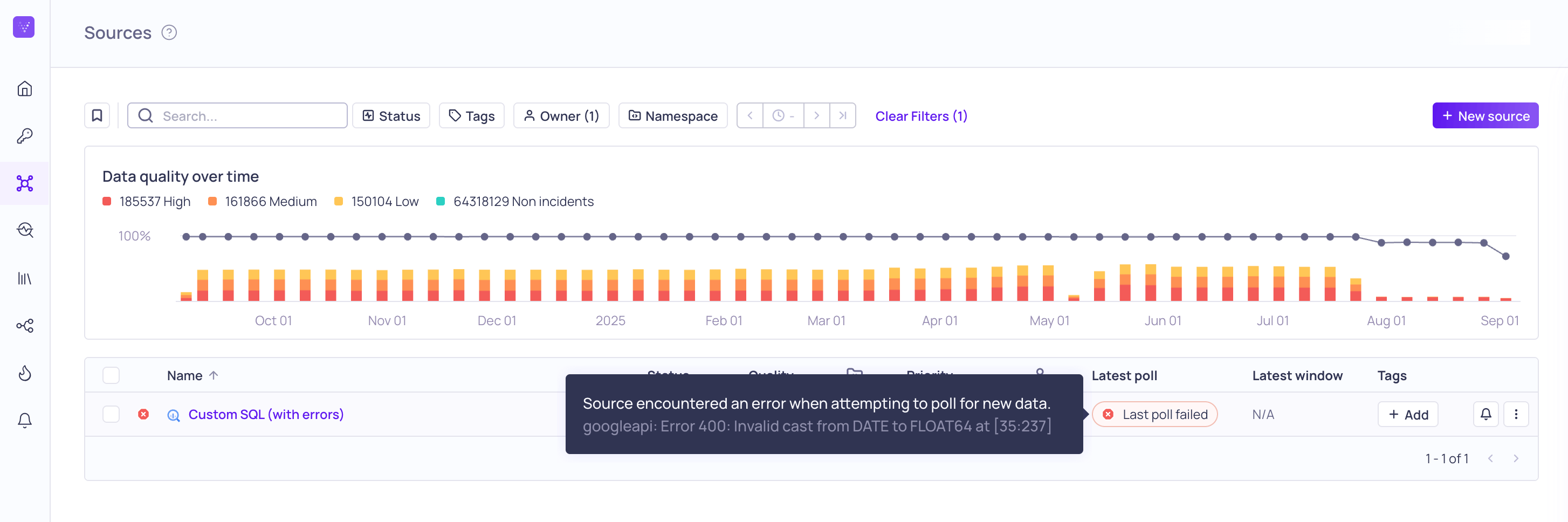
Polling errors will show in the Latest poll column for Sources and Validators
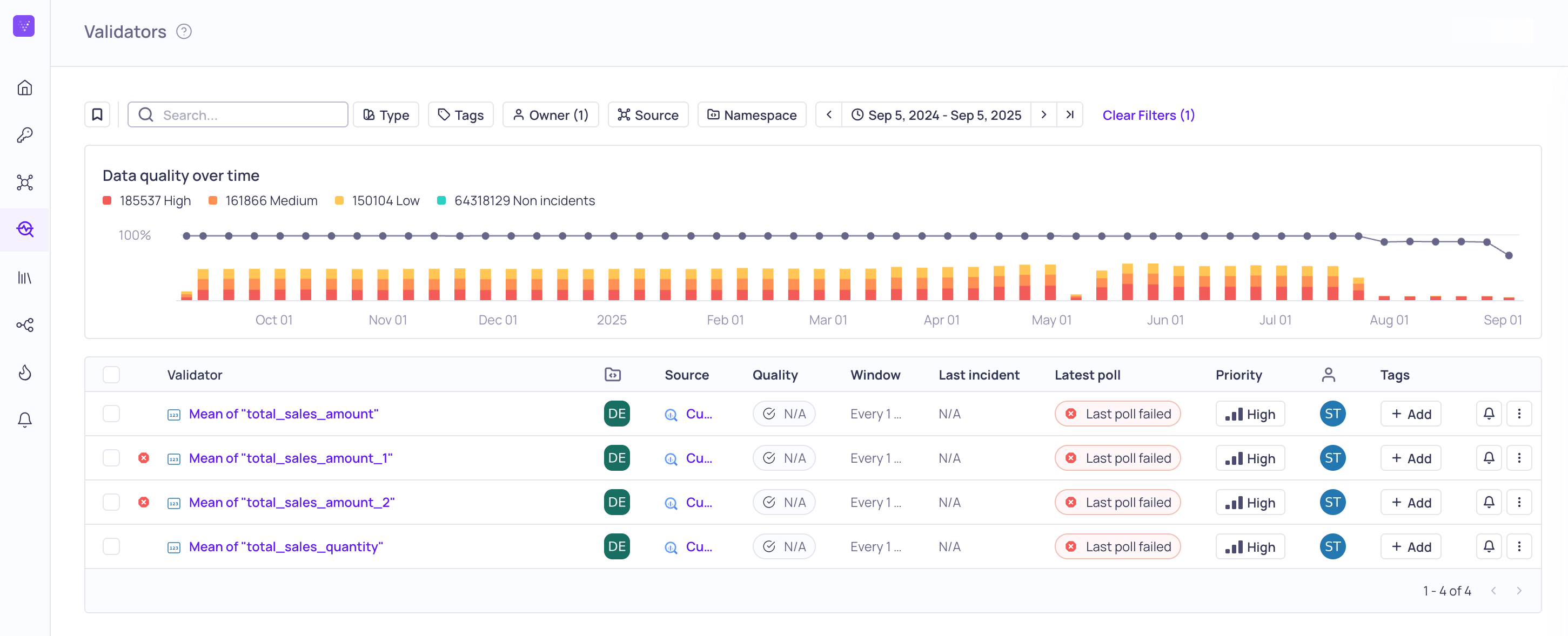
Field errors and polling errors displayed on the global Validators page.