

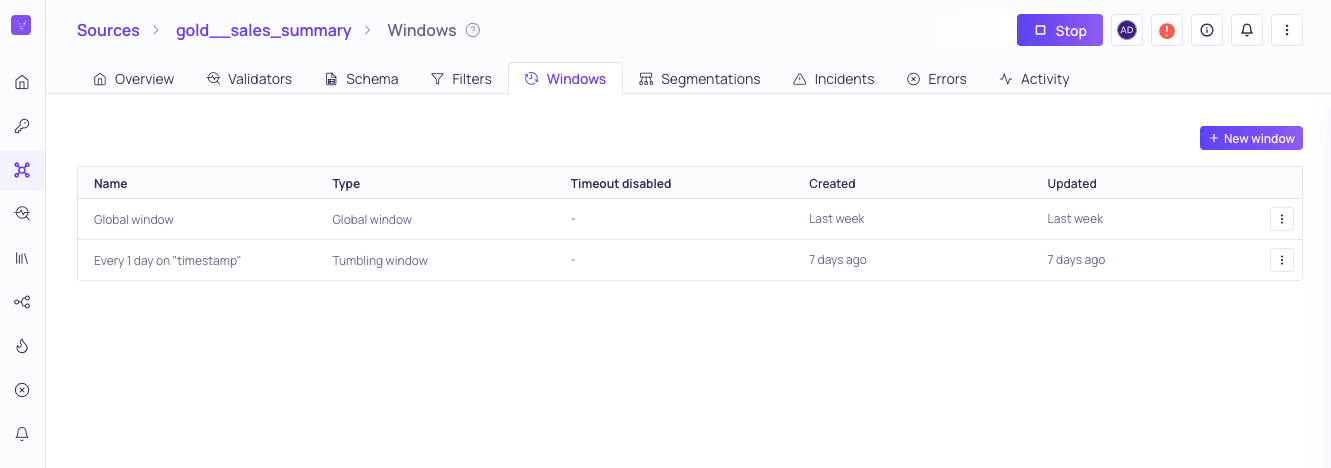
Windows configured on the gold__sales_summary source
Window types
All window types are not valid for every source:Global window
Global windows perform a full load during every polling cycle and compute all validator metrics for the entire Source, rather than for a sequence of windows (such as for tumbling windows). Validators using a global window are evaluated based on clock-time, rather than data-time. For more information, see Configuring Global Windows.Tumbling window
Tumbling windows are a series of fixed-sized, non-overlapping, and contiguous time intervals. For example,hourly or weekly. For more information, see Configuring Tumbling Windows.
Updating a window
You can update an existing window from the Windows tab on the source details page. Click the ⋮ menu on the window and select Update. Because validators and segmentations reference the window rather than copying its settings, an update applies to everything already using that window. Some settings are fixed when the window is created and cannot be changed afterward, because changing them would invalidate the metrics already calculated on the validators using that window.
Global windows have only a name and a segment retention period, both of which can be updated at any time.
To change the window size or the data-time field, create a new window with the settings you want. Click the ⋮ menu and select Duplicate to start from a copy of an existing window instead of configuring one from scratch.
Creating a new window does not move existing validators onto it. A validator keeps the window it was created with, so you also need to recreate any validator that should use the new window. For more information, see Duplicating a Validator.