

Sources page
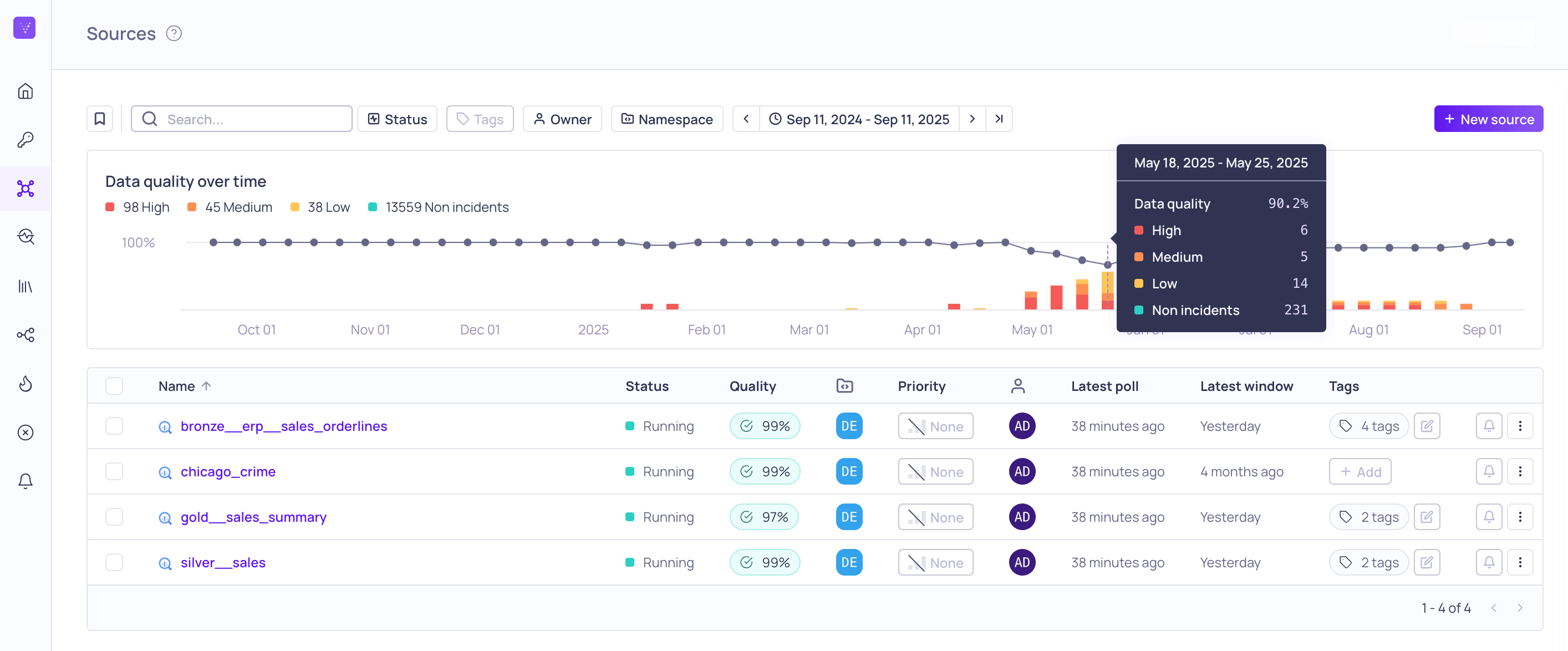
Global Sources page with data quality tooltip
Data quality graph
The Data quality over time graph displays the data quality score over the selected time range, a histogram of the severity of the detected incidents, and a count of the incidents for each severity. You can hover over the graph to see more information for each datapoint and bar.List of sources
In the source list you see the following information:Status
Possible statuses are:Filtering and saving views
You can search by Name, filter by Status, Priority, Namespace, Owner, and Tags, and change the Sort column. Once you have a useful combination of filters, you can save it as a View to revisit or share with your organization. For more information, see Searching, Filtering, and Saving Views.Source details page
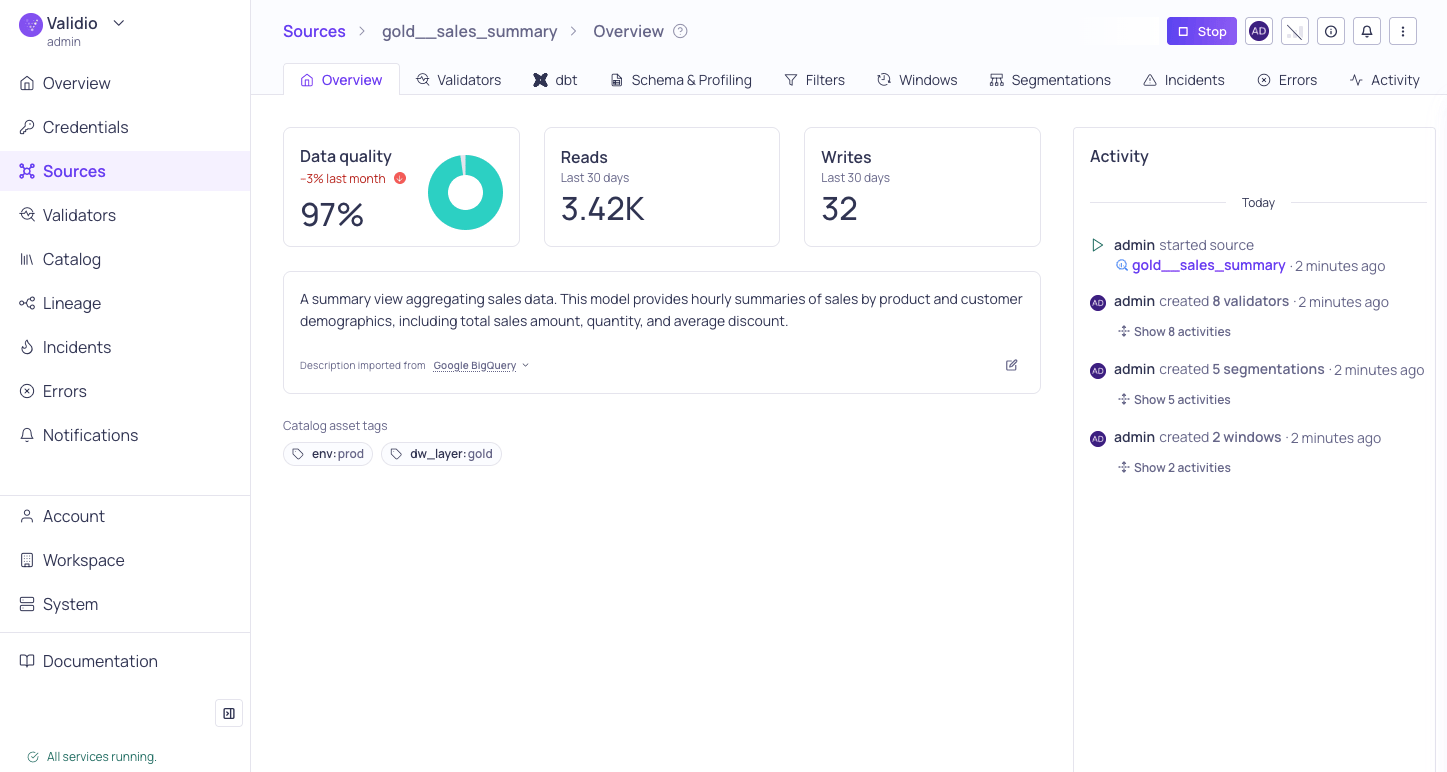
Source details Overview tab
Source overview
The source overview contains the following information:Manage the source
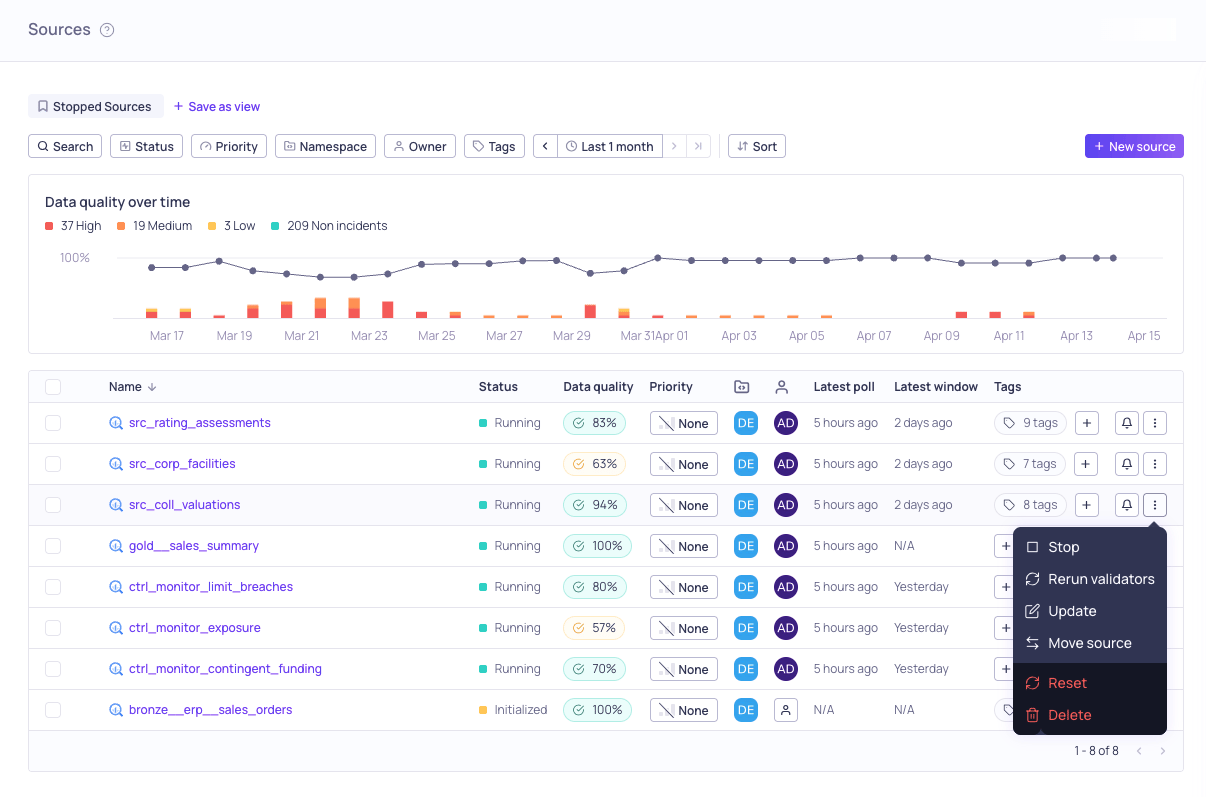
Global Sources inline actions menu
Source information panel
The source information panel displays the source status and configuration. From this panel, you can view the source in Lineage, update the owner and priority, add or update tags, and update the description. There are two ways to open the panel:- On the Sources page, click the row for an individual source.
- On the Source details page, click the i icon.