

Suggest Lineage Edges
Use AI-powered matching to automatically suggest field-level lineage connections between cross-system assets.
When data flows between systems through processes that Validio cannot automatically trace — such as custom ETL scripts, FTP transfers, or manual data copies — field names often change due to naming conventions, abbreviations, or case differences. For example, CUST_ID in one system might become customer_identifier in another.
The Suggest Edges feature uses a two-tier matching algorithm to automatically suggest field-level lineage connections between two assets. It combines fast heuristic rules with optional LLM refinement to find matches even when field names differ across systems.
Prerequisites
lineage:WRITEpermission (granted to Editor and Admin roles by default). For more information, see Managing Roles.- (Optional) An LLM credential for enhanced semantic matching. Without one, only heuristic matching is available.
Start a Suggestion Workflow
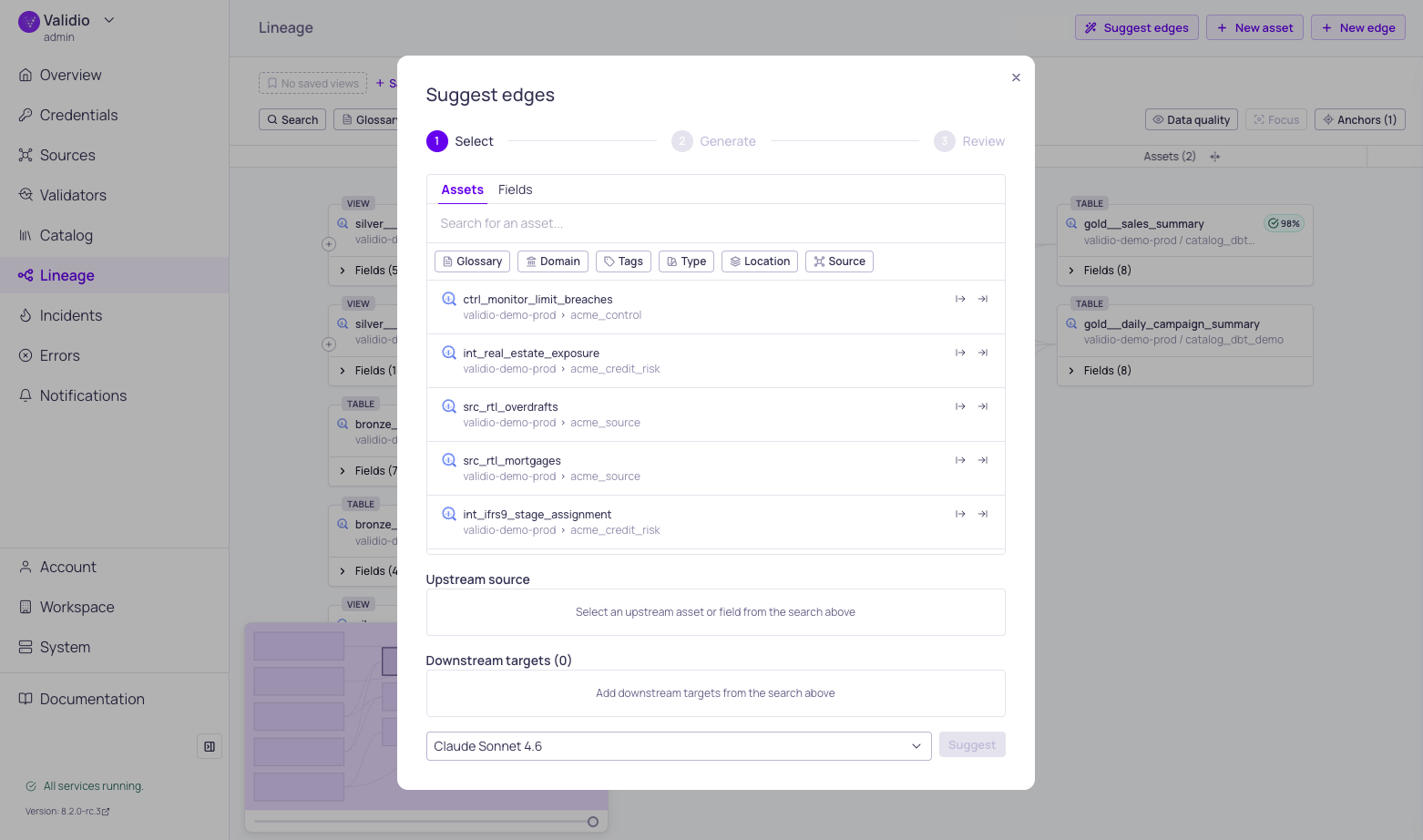
Suggest edges configuration window
- Navigate to the Lineage page and load a graph with your assets.
- Click Suggest edges in the toolbar.
- In the Selection phase, choose the assets to match:
- Select an Upstream source asset — use the search to find it by name. You can select at the asset level or pick a specific field using the Assets and Fields tabs.
- Select a Downstream target asset in the same way.
- Choose a matching method:
- Heuristic matching (default) — Fast, rule-based matching that runs without an LLM. Best for straightforward name variations.
- LLM-enhanced — Select an LLM credential from the dropdown for deeper semantic analysis. Recommended when field names differ significantly or when business context matters.
- Click Start to begin the matching workflow.
Matching Progress
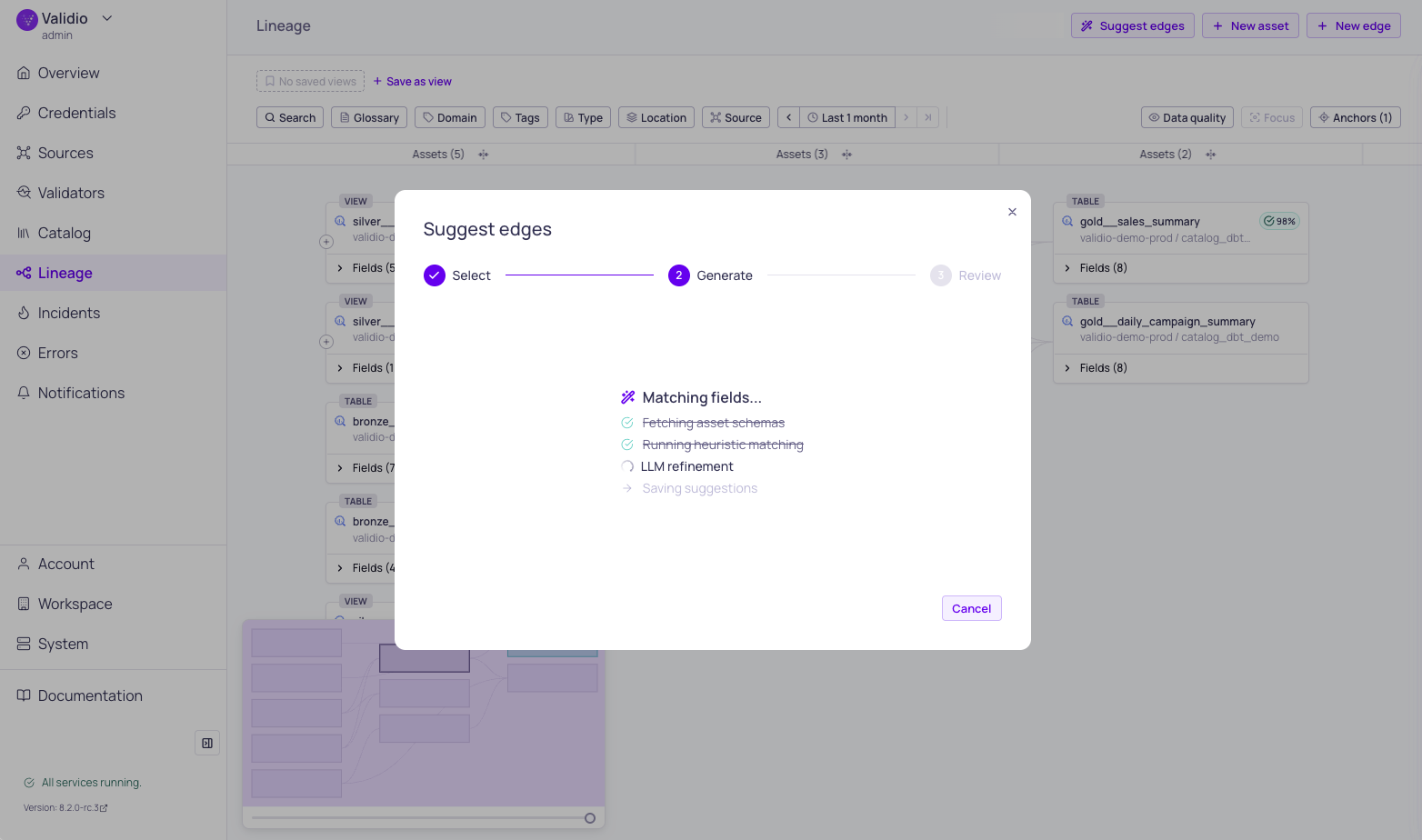
Suggest edges matching progress
After starting, a progress indicator shows the workflow steps in real time:
- Fetching context — Loads schemas, glossary terms, tags, descriptions, and existing edges for both assets.
- Running heuristic matching — Applies rule-based signals to score all possible field pairs.
- LLM refinement (if an LLM credential was selected) — Uses AI to validate heuristic matches, find semantic matches the heuristics missed, and generate human-readable explanations.
- Preparing results — Saves suggestions for review.
You can Cancel the workflow at any time from the progress screen. Cancelling stops the analysis without creating any edges.
Review Suggestions
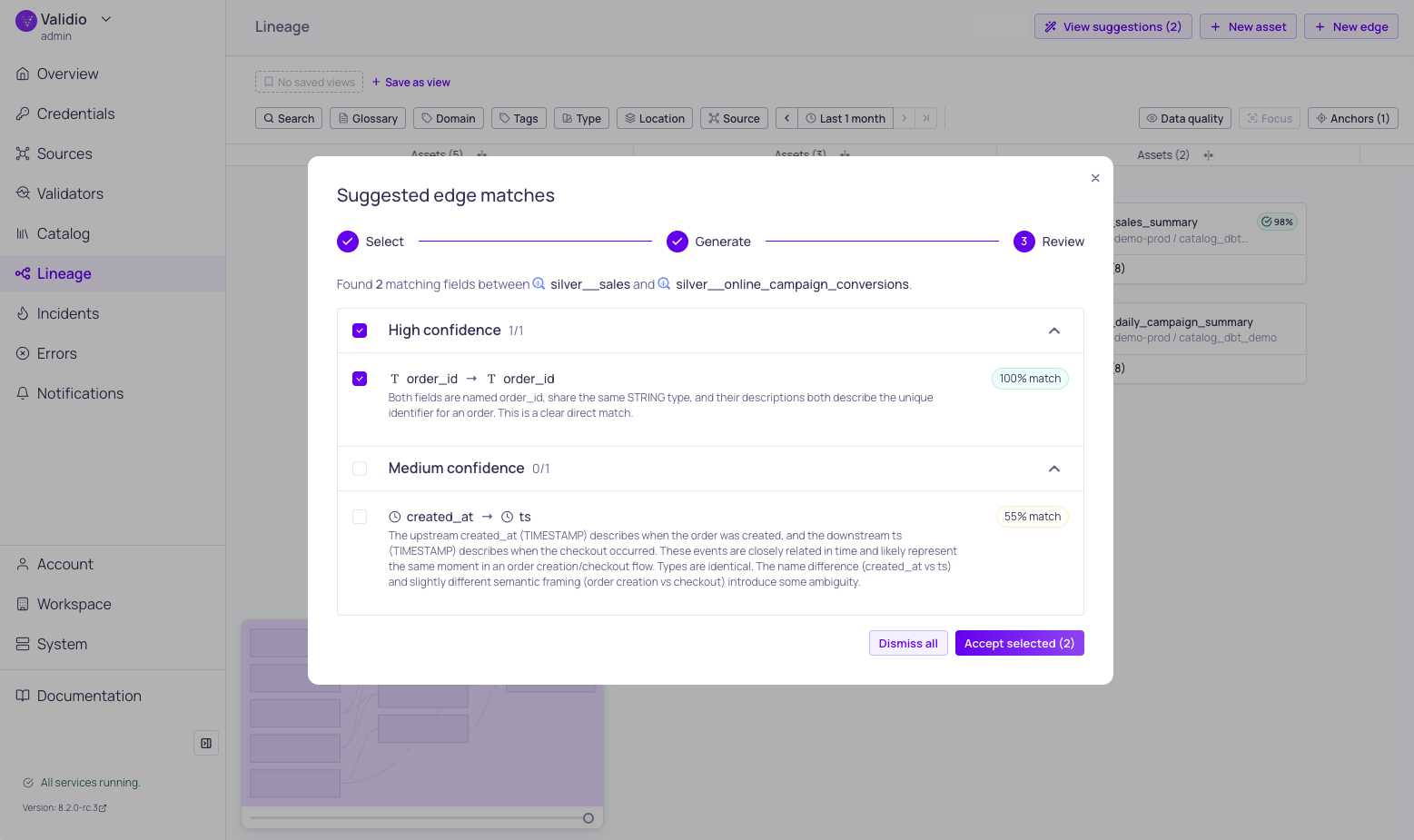
Suggested edge matches
When the workflow completes, the results are displayed grouped by confidence level:
- High confidence — Strong matches with multiple corroborating signals. These are almost certainly correct.
- Medium confidence — Likely matches that may benefit from human verification.
- Low confidence — Possible matches based on weaker signals. Review carefully before accepting.
Each suggestion shows:
- Upstream field and Downstream field names with their parent asset.
- Confidence chip — Color-coded indicator (high, medium, or low).
- Match score — A percentage representing the overall match strength.
- Match type — The primary reason for the match:
| Match Type | Description |
|---|---|
| Direct Rename | Field names are identical or nearly identical after normalization. |
| Abbreviation Expansion | One name is an abbreviated form of the other (e.g., cust → customer). |
| Semantic Equivalent | Fields represent the same concept despite different names (LLM-identified). |
| Type Cast | Fields match but have different data types that are compatible. |
- Explanation — A description of why the match was suggested, including which signals contributed.
- Checkbox — Select or deselect individual suggestions for acceptance.
Accept or Dismiss Suggestions
After reviewing, you have two options:
- Accept selected — Creates lineage edges for all checked suggestions. The new edges appear immediately in the lineage graph.
- Dismiss all — Discards all suggestions without creating any edges.
You can run the suggestion workflow again at any time to generate new suggestions.
How Matching Works
The suggestion engine uses a two-tier approach to balance speed and accuracy.
Heuristic Matching
The heuristic tier analyzes all possible field pairs between the two assets, taking into account:
- Field names — Handles differences in casing, delimiters, abbreviations, and naming conventions across systems.
- Data types — Considers type compatibility between source and target fields.
- Business metadata — Uses glossary terms, tags, and descriptions to identify fields that share the same business meaning.
Each field is matched to at most one counterpart, ensuring clean one-to-one lineage edges.
LLM Refinement
When an LLM credential is provided, the engine uses AI to go beyond what rules can detect — identifying semantic matches between fields with different names that represent the same business concept, and generating human-readable explanations for each suggestion.
Related Resources
Updated 6 months ago