

Data lineage redesign
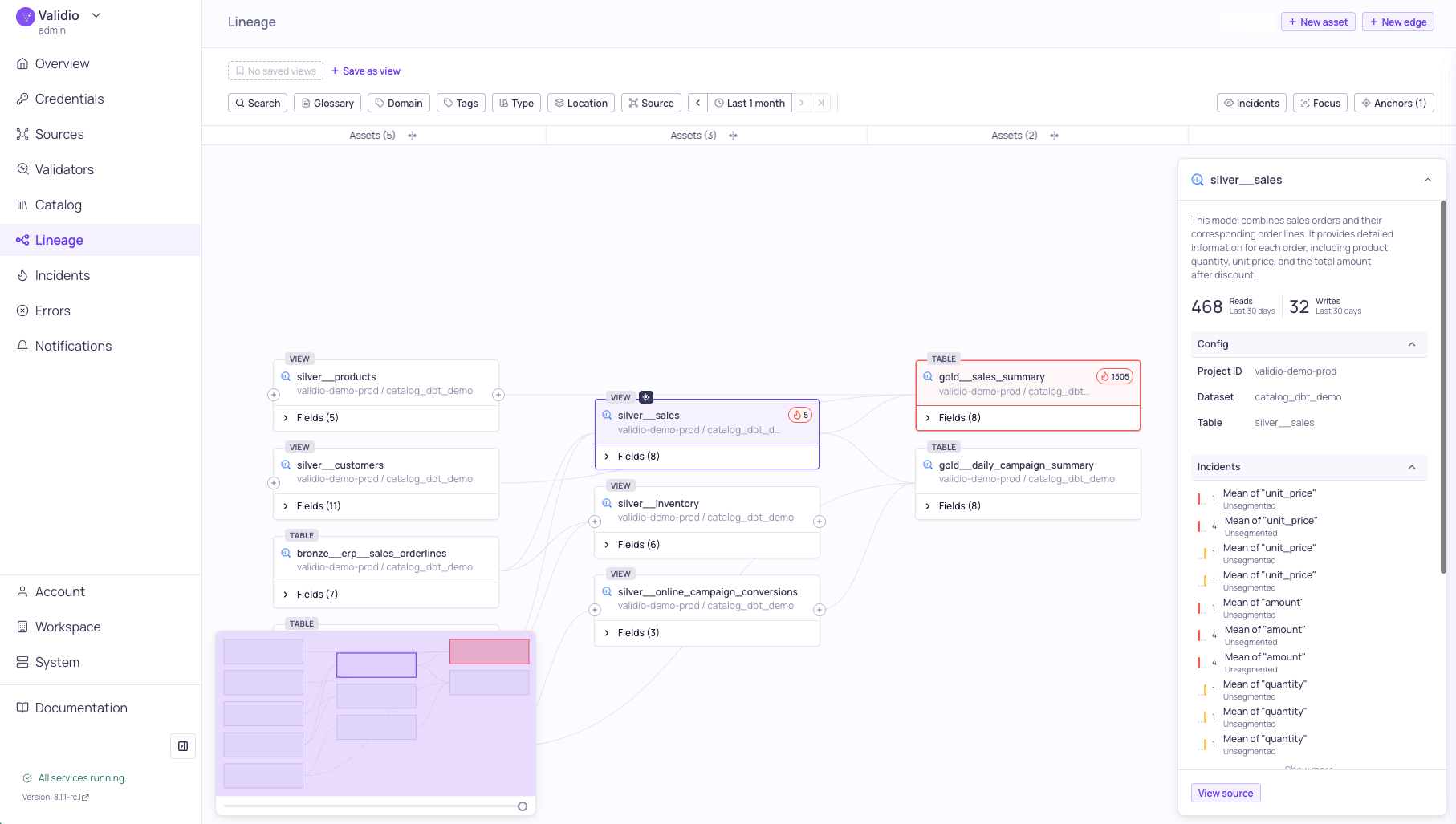
Lineage graph with Incidents overlay and details sidebar
- Focus mode — Isolate the full chain of transitive dependencies for a selected node or field, hiding unrelated paths to reduce clutter from parallel processes.
- Collapsible layers — Collapse intermediate pipeline layers to see direct upstream-to-downstream relationships without the complexity of middle transformation steps.
- Manual assets and connections — Add assets that aren’t automatically discovered, such as tables from databases without a native integration, and create custom lineage connections between any assets.
- Saved views — Save anchor and filter combinations as named views to revisit specific lineage perspectives across your workspace.
Business glossary and domains
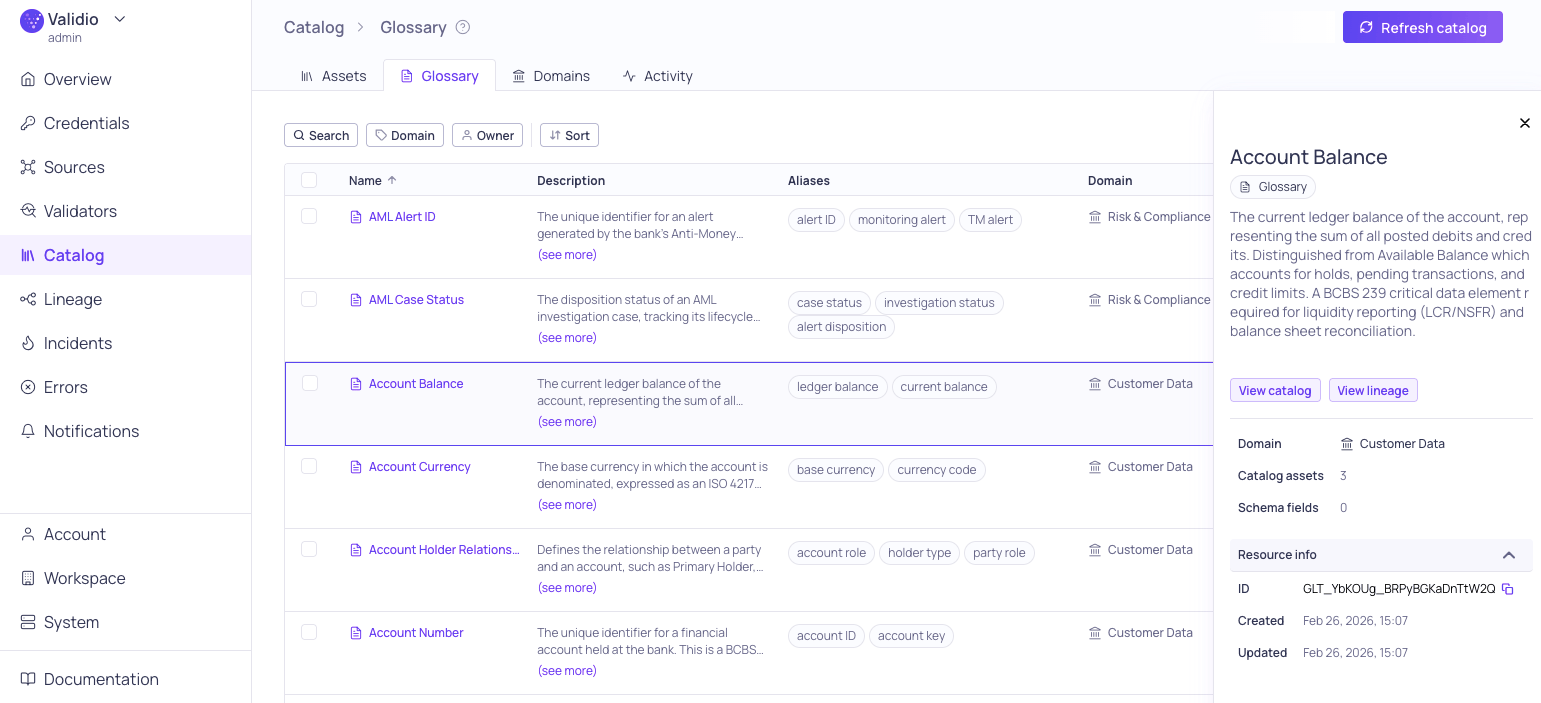
Business Glossary tab with details sidepanel
- Domains — Group glossary terms and catalog assets by business area such as Finance, Marketing, or Engineering, with dedicated owners and descriptions. See Domains .
- Term assignments — Terms can be assigned to catalog assets and schema fields from the catalog, asset details, or directly from the lineage sidebar. See Glossary Term Assignments .
- Term propagation — Propagate terms upstream or downstream through lineage edges. Removing a manual assignment automatically cleans up its propagated copies. See Glossary Term Propagation .
- AI-powered suggestions — A glossary term matcher agent suggests which untagged assets should be associated with a term, with confidence levels for user review and approval. See Glossary Term Suggestions .
- CSV import/export — Bulk-create or update terms via CSV. Imported terms still need to be assigned to assets separately. See Managing Glossary Terms .
- Activity log — Track all changes to glossary terms, including creation, updates, assignments, and removals, for audit and compliance purposes. See Glossary Term Details .
OpenAI LLM credential
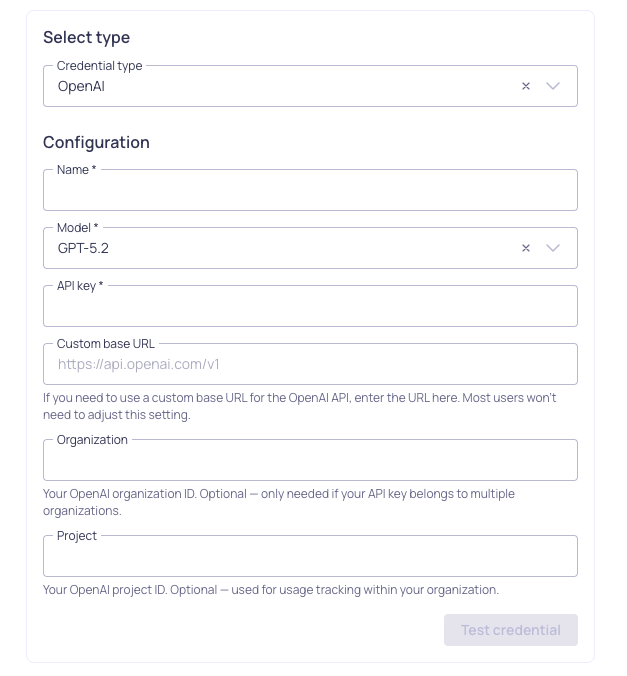
OpenAI credential configuration
IBM Db2 integration
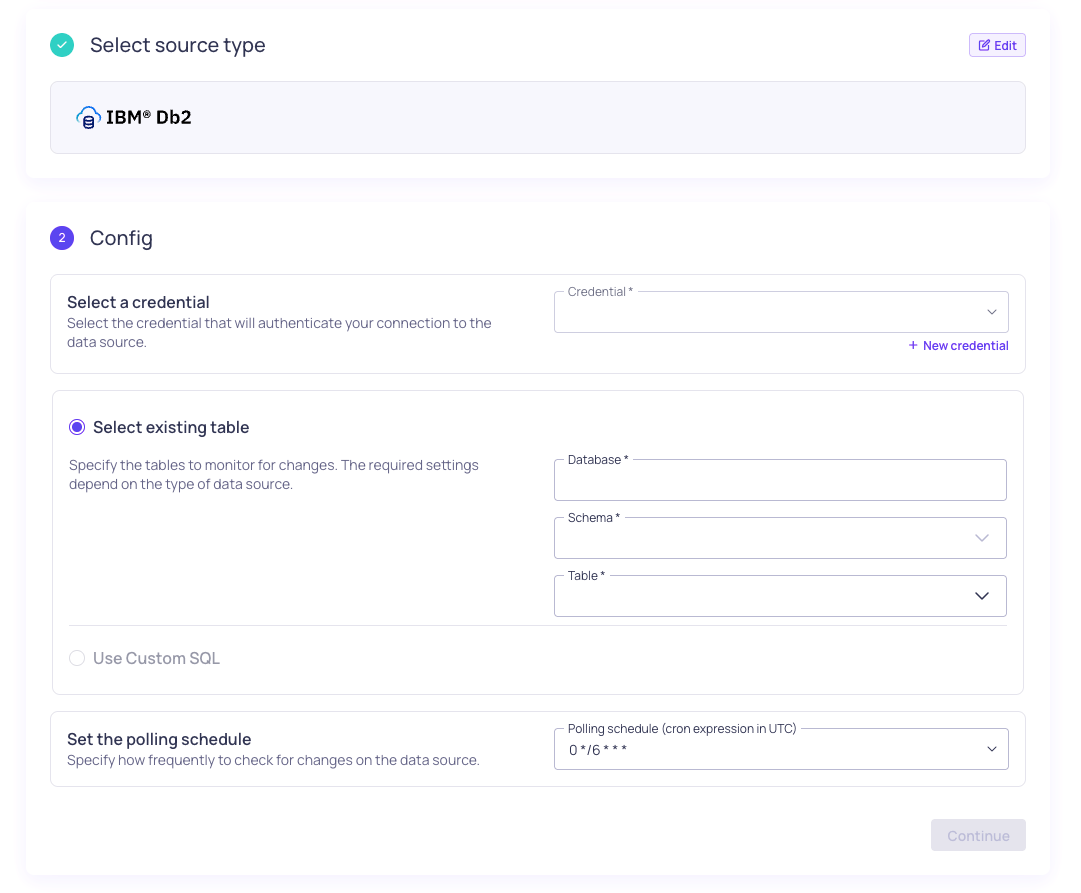
IMB Db2 source configuration
9 April 2026
Fixed issues
- Improved detection and handling of periodic seasonality for sparse time series (AL-670)
- Fixed window truncation mismatch (VR-5349)
- Fixed handling of nullable time column for Databricks foreign catalogs (VR-5355)
- Skip unavailable Oracle services in catalog (VR-5350)
25 March 2026
Fixed issues
- Fixed issues with the performance of lineage queries (UI-6024)
- Fixed issues with Overview page query performance (UI-6039)
- Fixed a service error in finding matches and improved performance (UI-6026)
- Fixed an issue where activity for glossary terms did not show for collapsed history (UI-6031)
- Fixed an issue with updating Snowflake source config fields (UI-6038)
- Fixed an issue with page load for catalog assets tab (VR-5321)
- Truncated field names in lineage to ensure badges are visible (UI-6021)
Features and updates
- Improved the test functionality for Slack notification channels (UI-6015)
- Changed segment usage options to sort by size (UI-6018)
23 March 2026
Fixed issues
- Fixed an issue to ensure reconciliation validator metrics are ordered (VR-5298)
- Fixed an issue where updating sources failed when config fields remain unchanged (VR-5285)
- Fixed an issue to ensure the correct asset schema is used for sampling and profiling (VR-5292)
- Fixed inconsistent results for “Select all” on active source filters in validators (UI-5980)
- Fixed “Transition was skipped” error when navigating lineage graphs (UI-6005)
- Fixed a global window issue where the first data point was not visible after backfill (UI-5968)
Features and updates
- Added business glossary and updated lineage (UI-5803)
- Added descriptions from generated recommendations to validator descriptions (UI-6000)
- Added support for IBM Db2 credential, source, and asset configuration (UI-5723)
- Added support for Snowflake authentication using PAT (programmatic access token) (VR-5296, UI-6003)
- Added support for both base64 encoded and plaintext GCP credentials (VR-5265)
- Added SQL Execution as a namespace-level permission for SQL-related features including incident debugging and SQL sources, filters, and validators. By default, any existing custom roles will be assigned
sqlExecution:WRITEpermissions. - Extended profiling and recommendations to include boolean fields (VR-5291, UI-5997, UI-6010)
- Converted incident listing (global and source) pages to new format, with performance improvements (UI-5827, UI-5765)
- Improved handling and detection of sparse time series data (AL-636)
- Changed user analytics default to opt-in for fresh installs (UI-5988)
- Improved Slack channel test functionality (VR-5304)