

New UX for validator details pages
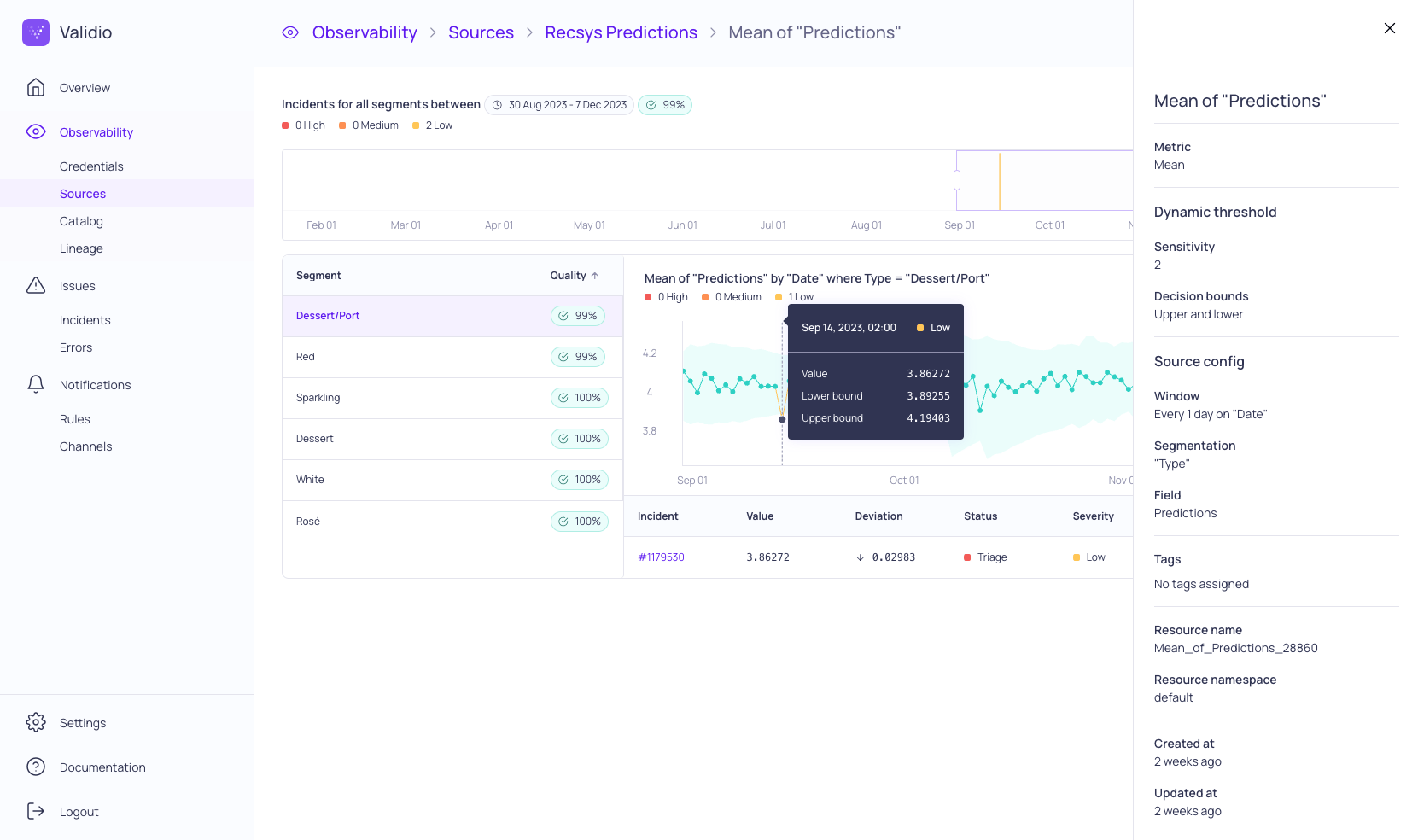
The details page for a numeric validator with the sidebar open to show configuration details.
- Relocated the validator configuration information into a sidebar that you can open from right.
- Added a slider in the incident histogram for selecting custom time ranges to view metrics.
- Added incident severity information to the incident and metric graphs.
- Relocated datapoint summary information and decision boundary values into a tooltip that displays when you hover over the datapoint on the metric graph.
- Added more history when you update the threshold configuration.
- Improved the segment list to display the full name and data quality.
- Highlighted the incident when you click through to the incident details page.
23 January 2024
API updates
Added
- Field
notificationRulesto interfaceChannel - Field
dataQualityto object typeSegment - Field
notificationRulesto object typesSlackChannelandWebhookChannel sampleInferSchema(input: [JSONObject!]!): JsonTypeDefinition!to infer source schema from sample dataseverity: NotificationSeverityto typeValidatorMetric
Removals
- Types
Recommendation,ValidatorCreateRecommendation,ValidatorDeleteRecommendation, andValidatorUpdateRecommendation
Platform updates
Added
- Redesign of validator details page and incident graphs (UI-2839)
- Allow users to edit validator filters (UI-2757)
- UI uploading of sample data for schema inference (UI-2596)
- Sidebar to lists for API-keys, Users, IDP, Channels, Notification Rules, Sources, and Validators (UI-2815, UI-2813, UI-2817, UI-2816, UI-2819, UI-2819)
Changed
- Order recommended validators by typename (UI-2824)
- Split catalog assets page into tabs for each asset type (stream, warehouse, object storage). Also added pagination to improve the user experience for deployments with many assets (UI-2849)
- Data quality is now calculated with weighted severities:
max(1 - (highSeverityIncidents * 3 + mediumSeverityIncidents * 2 + lowSeverityIncidents * 1) / total, 0)(UI-2867)
Fixed
- Add validation for source start actions (UI-2802)
- Clarify time span used for data quality and schema coverage gauges (UI-2740)
- Escape special characters for labels in Lineage graph (UI-2857)
- Use decision boundary upper as the default option for Freshness (UI-2821)
- Clarify and expand ‘Reset Source’ dialog messaging (UI-2843)
- Slack channel test shows toast instead of error (UI-2800)