

BI tool browser extensions
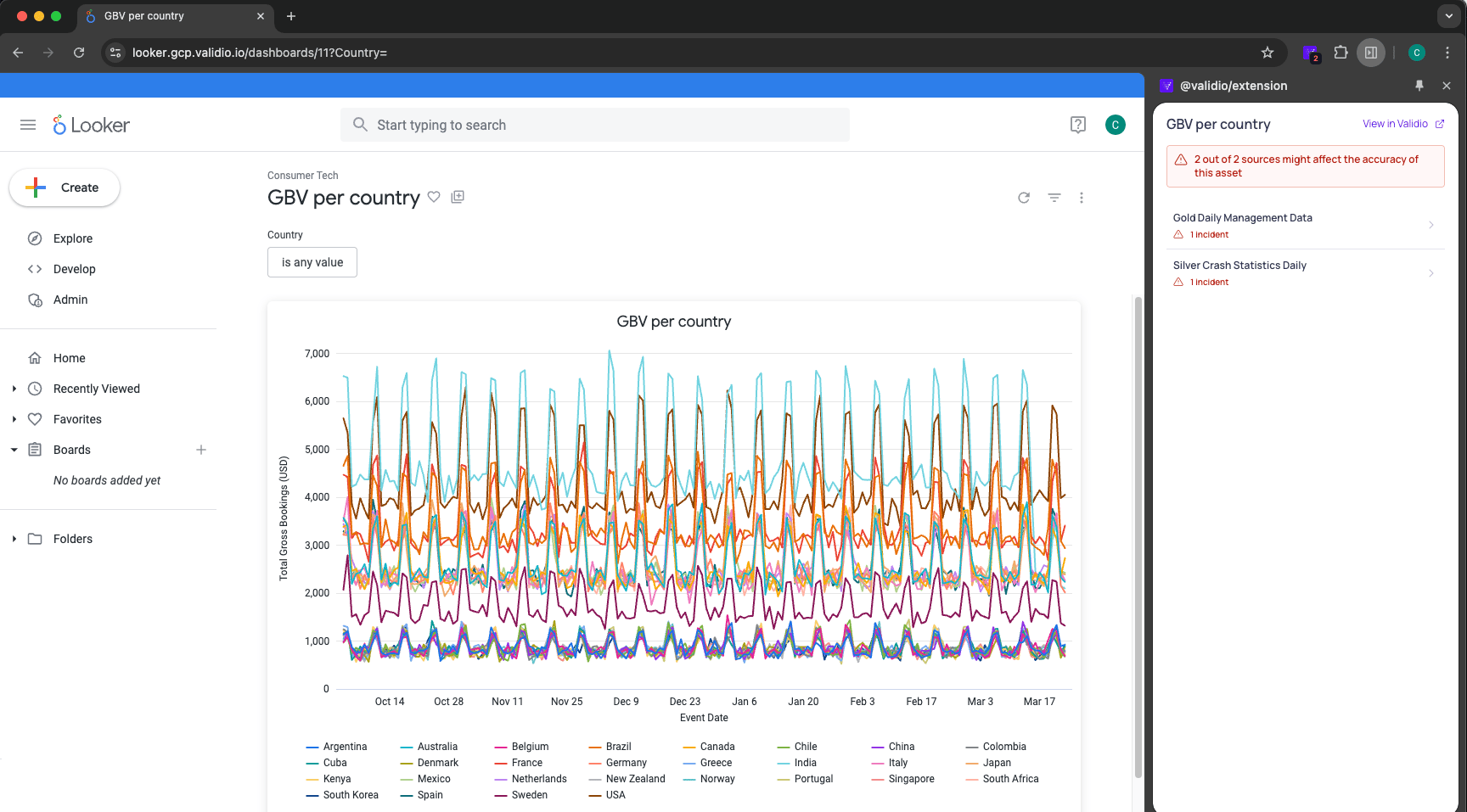
- Track data quality incidents on sources and quickly see the number of incidents since the latest poll.
- Review a summary about the incident directly from your BI Tool and alongside your asset.
- Click through to the incident details page in Validio for further investigation.
Improved segment configuration, search, and filtering
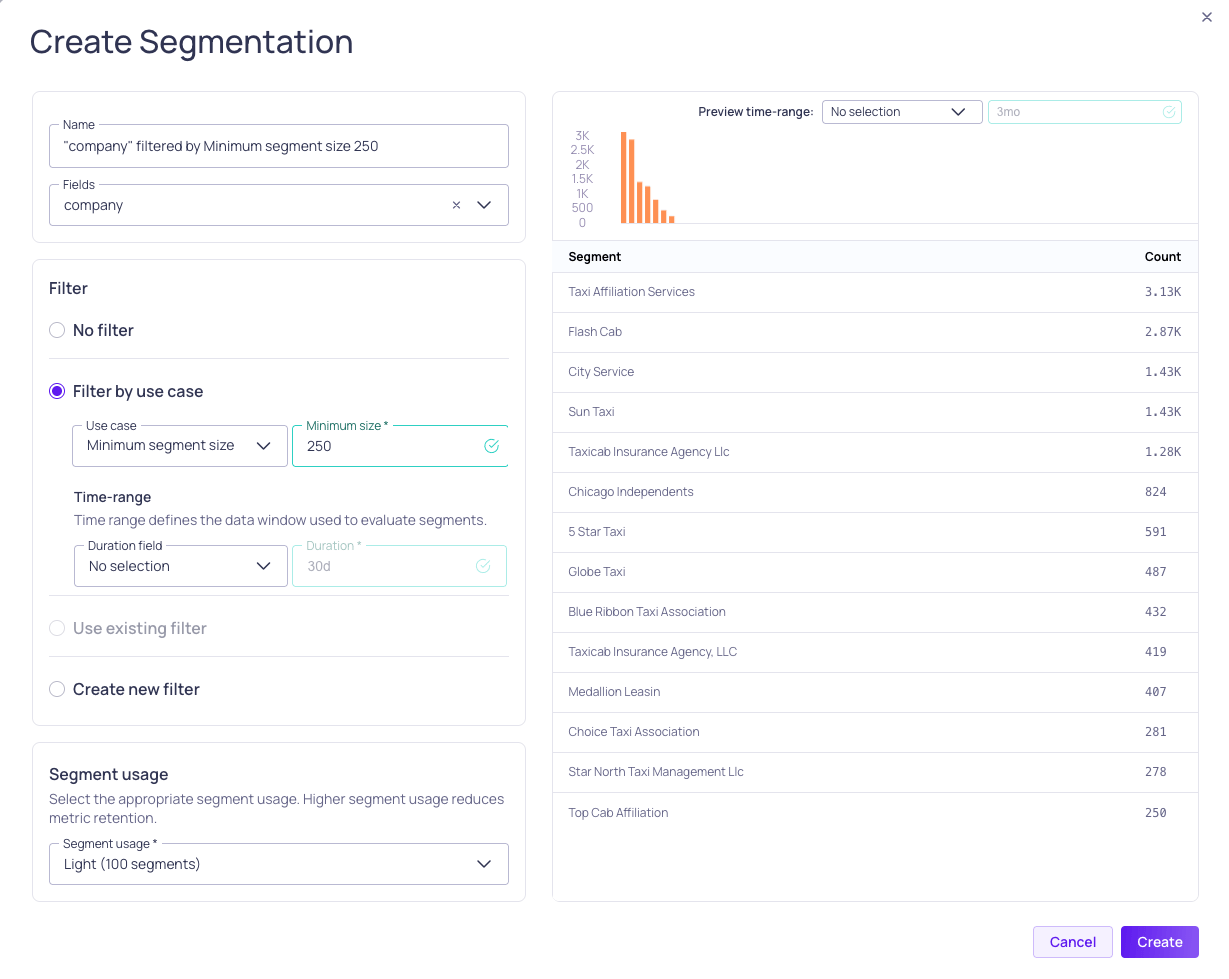
- Segment usage limits define the number of allowed segments. Higher segment usage reduces metric retention and limits how much historical data can be ingested initially.
- You can configure segments with filtering based on common use cases such as minimum size and top segments by count. For example, you can use the minimum size option to filter out small segments without writing SQL.
- The segmentation preview shows a table with the segment counts and a histogram with the frequency distribution of the segment.
Improved tumbling window configurations
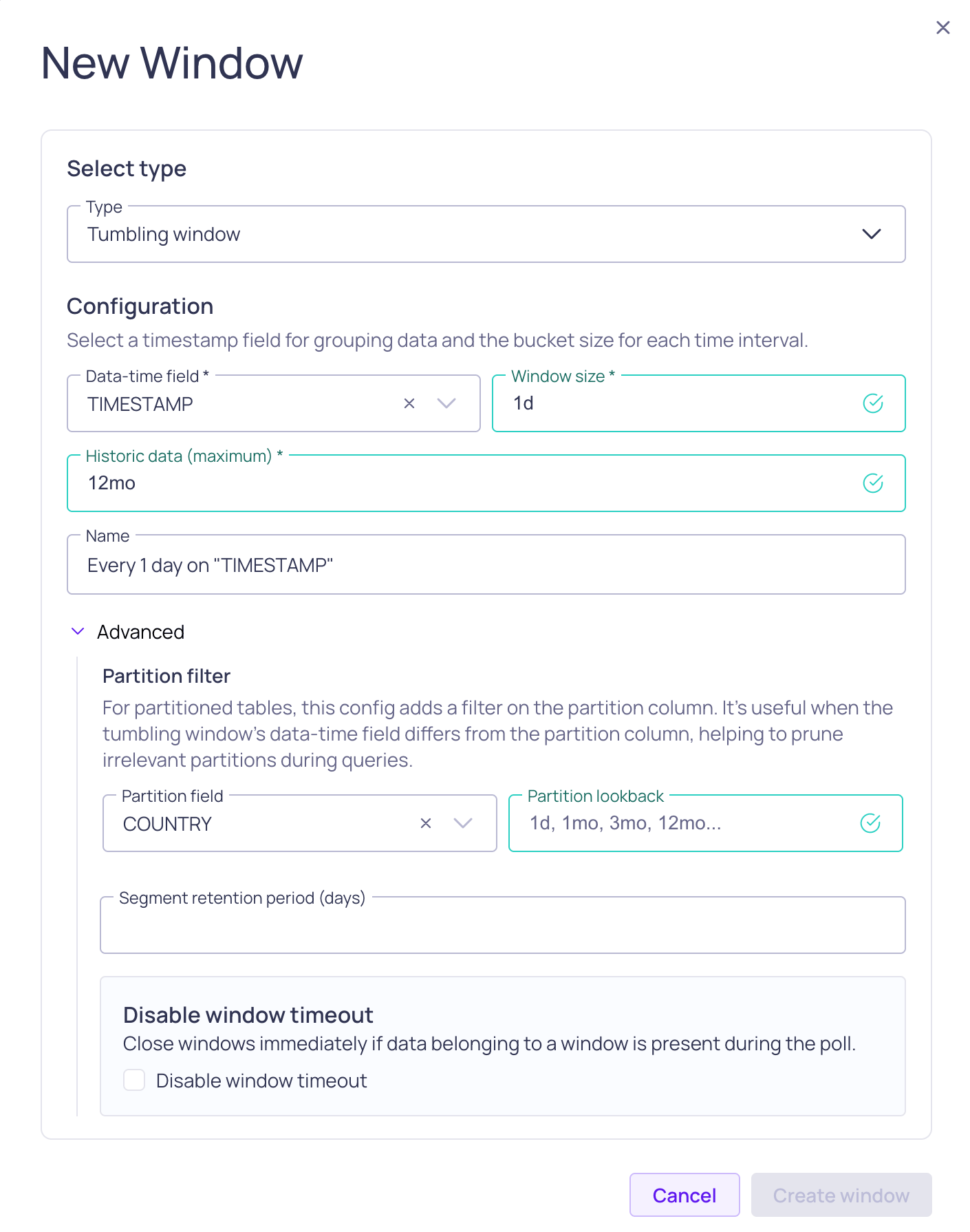
- Historic data (maximum) - The lookback period defined for tumbling windows is the maximum limit. The actual backfill amount can depend on the segment usage limit defined with segmentation.
- Partition filtering for tumbling windows - For partitioned tables, you can add a filter to remove irrelevant columns in queries.
Redesigned threshold update dialog
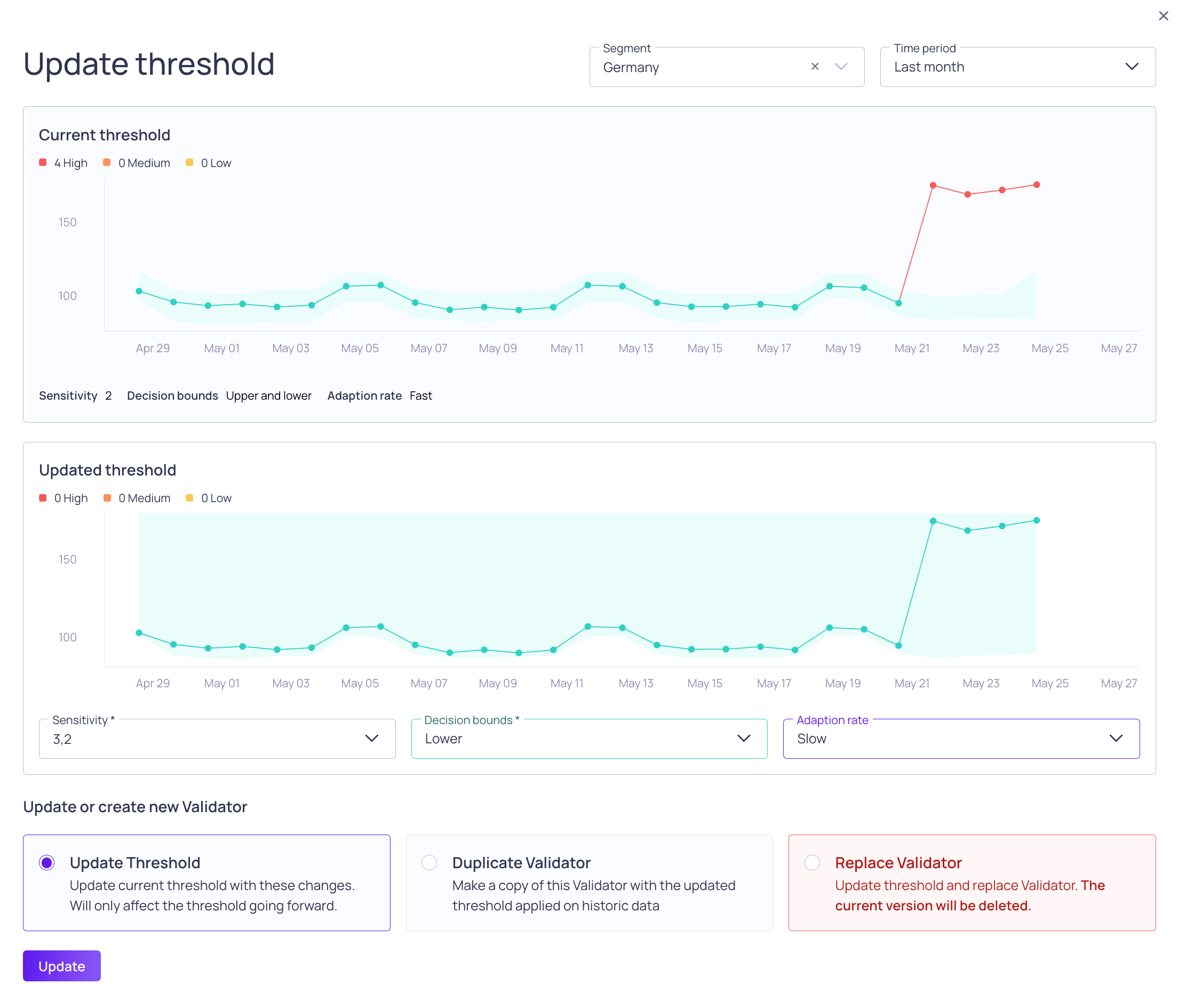
- Allows you to select the time range and current segment within the dialog.
- Includes before (Current threshold) and after (Updated threshold) graphs for easy comparisons. For example, when comparing two different sensitivity values for dynamic thresholds.
- Includes a summary of the incidents generated over time, to help you understand how often you can be alerted with this threshold.
3 June 2025
Fixed issues
- Fixed an issue with dynamic threshold stability. (AL-522)
- Fixed an issue with Freshness validator behavior during system backpressure. (VR-4516)
30 May 2025
Fixed issues
- Fixed timeout issue when fetching catalog asset details. (UI-4963)
- Fixed duplicate columns for Latest poll and Latest window on the Source validators page. (UI-4997)
Improvements
- Added a delete button on the source page header menu. (UI-4985)
- Added support for more Power BI datasource formats. (UI-4510)
- Improved the Lineage dialog for setting anchors and searching. (UI-4913)
27 May 2025
27 May 2025
API updates
Removals
recommendedValidatorshas been removed from all sources. (UI-4704)
Deprecations
- The
lookbackDaysfield has been deprecated from sources. It was added to tumbling windows and its type was changed type fromInt!toInt. (VR-4339) CatalogAsset.queryUsershas been deprecated. (UI-4774)- The field
ValidatorStats.lastArtifactAthas been deprecated and replaced withValidatorStats.latestWindow. (UI-4669)
Improvements
- Added APIs to support previews in the filter configuration dialog. (UI-4740)
- Improved dbt manifest upload API performance (VR-4479)
Platform updates
Improvements
- Added support for BigQuery data type BIGNUMERIC and parameterized types like STRING(20). (VR-4455, VR-4458 )
- Made metadata validators opt-in by default. (UI-4961)
- Improved validation for namespace naming. (UI-4728)
- Improved schema inference for Databricks. (VR-4409)
- Improved Power BI lineage parsing. (VR-4478)
User interface updates
Fixed issues
- Removed Schema tab for Power BI catalog assets. (UI-4802)
- Don’t auto-select table in Source setup. (UI-4732)
- Don’t show lookback field for tumbling window on non-warehouse sources. (UI-4892)
Improvements
- Added functionality to select and update tags for multiple catalog assets. (UI-4820)
- Improved error messages for Notification channel creation. (UI-4553)
- Combine sensitivity and preset for Thresholds. (UI-4650)
- Remove user feedback from error dialog. (UI-4637)