

In-app agent: Ask questions and make changes in the app
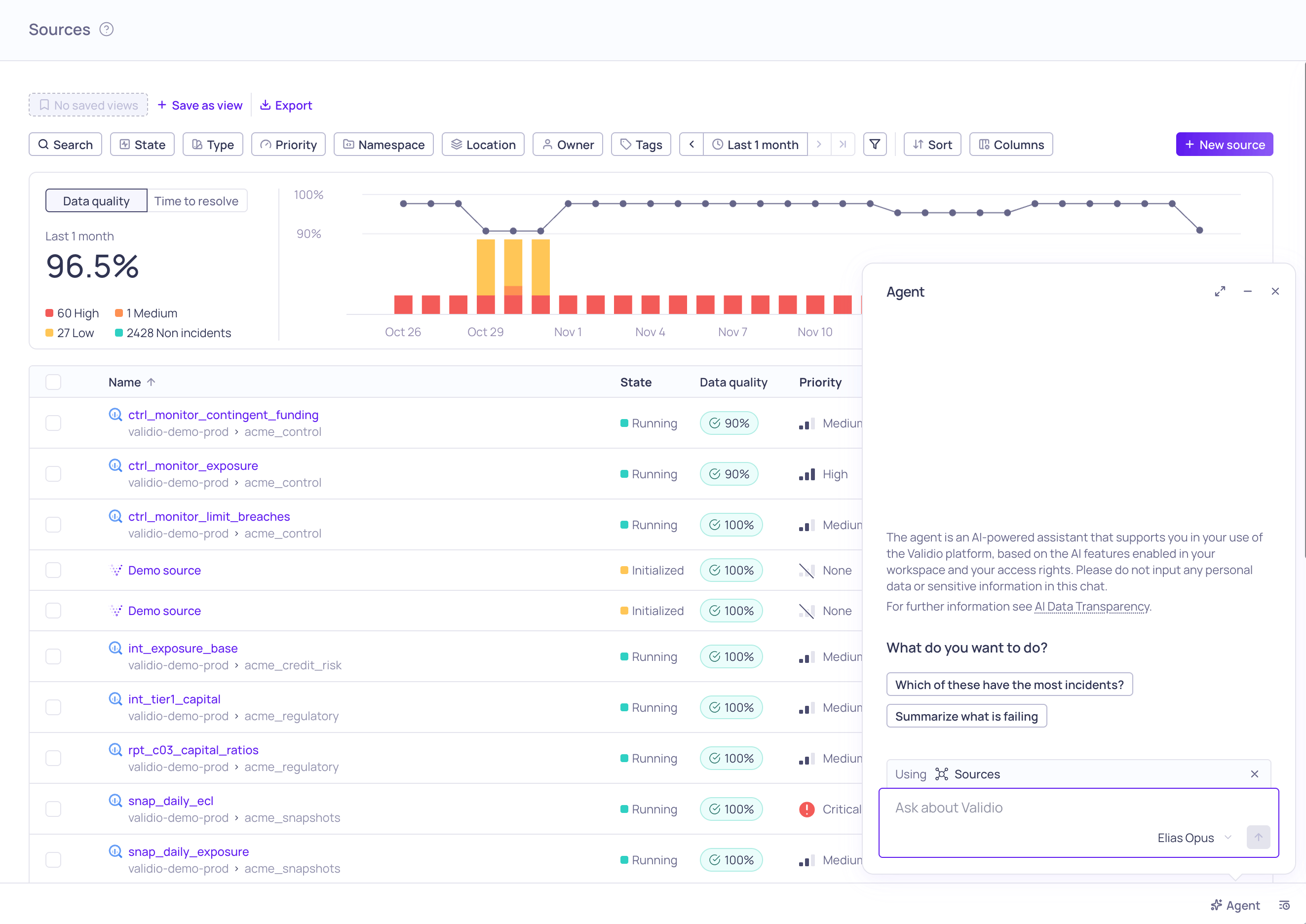
The agent panel, opened from the Agent button in the footer
Catalog: Monitor metrics that other tools report
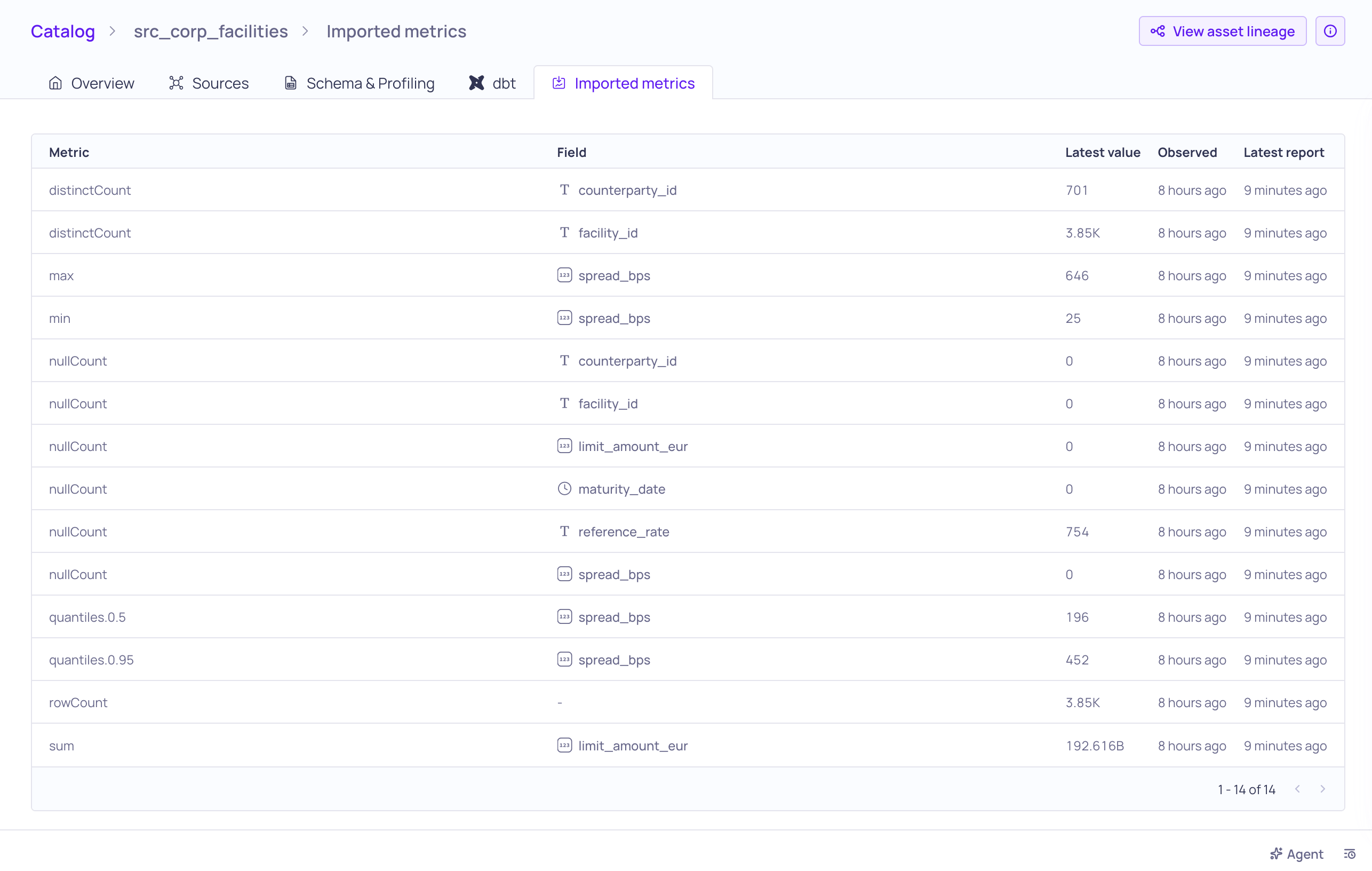
The Imported metrics tab of a catalog asset
Settings: Control what AI can do
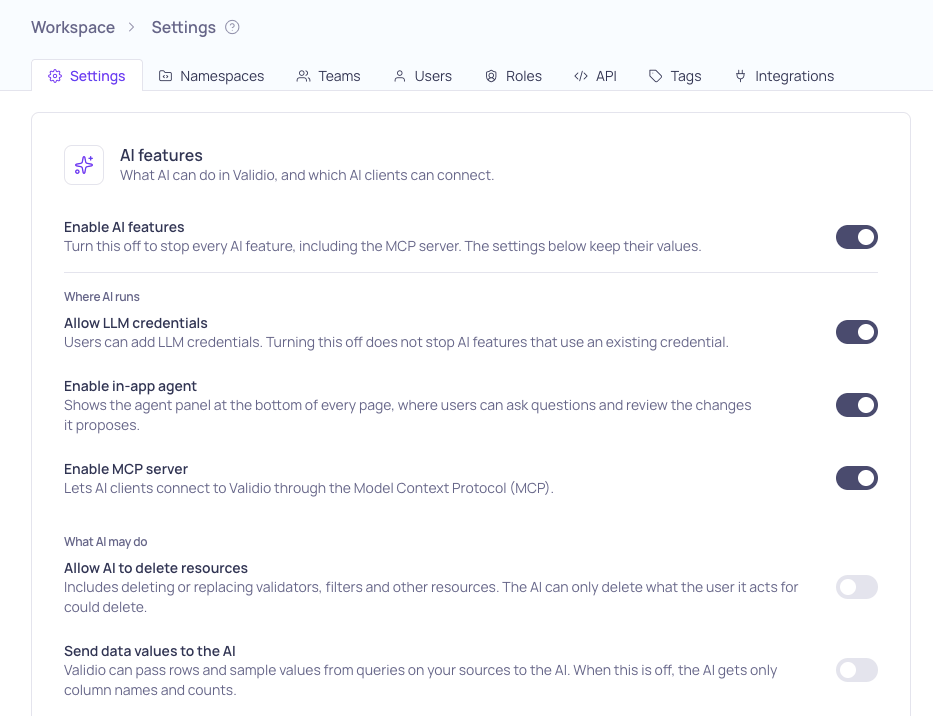
The AI features settings
Windows: Record windows
A new record window makes every record its own window, dated by a timestamp field. Validators on a record window produce one datapoint per timestamp, instead of one per time interval. Imported Metric validators use a record window, so each reported value is one datapoint.You can add record windows to data warehouse, query engine, and dbt sources from the source’s Windows tab, and change a record window’s partition filter afterward. They aren’t available on streaming sources. Validators on a record window can be rerun. See Configuring Record Windows.New features
- Add Additional hosts to an Oracle credential, so Validio connects to the next host when the main one can’t be reached (UI-8367)
- Download lineage edges from the UI (UI-8703)
- Open the sample data and query dialogs in full window, so wide results show more columns and rows (UI-9116)
- A new Include personal data diagnostic setting decides whether usage events and error logs include user names, email addresses, and IP addresses (UI-8748)
- Glossary term, domain, and classification queries are now part of the public API, and you can filter incident groups by glossary term or domain (UI-6992, UI-6993)
Improvements
- AI assistants connected through the Validio MCP Server can follow lineage more than one hop, filter sources, validators, and incident groups by name, find the catalog assets a classification reaches, and read the open incident groups of many sources in one call (UI-9521, UI-9380, UI-9592, UI-9688)
- AI assistants now verify a SQL validator’s query before they create the validator (UI-9590)
- The newest Anthropic models are available in the LLM credential model picker (UI-9585)
- AI clients that register more than 10 redirect URIs, such as Snowflake Cortex Code, can now connect to the Validio MCP Server (UI-9677)
- The Overview summary lists incidents first (UI-9934)
- The validator recommendation, lineage suggestion, and glossary term suggestion dialogs now point you to the in-app agent, which does these jobs too (UI-10069, UI-10070)
- Workspace settings show each option as a row with a short description and a switch (UI-9868)
- A source’s Validators tab loads its validator list first, so it opens faster (UI-10101)
- Priority, owner, tags, mute, and status show as plain values in every table. Edit them from the row’s actions (UI-9750)
- Verifying a source schema change now lists the validators, segmentations, and windows that conflict with it, instead of failing (UI-9797)
- Glossary terms assigned to a whole table get a data quality score from that table’s validators, and a domain’s incidents and score count the validators on its terms (UI-9617, UI-9618)
- Hovering a running profiling job shows its status and settings, and you can cancel it (UI-9268)
- Relative times show in English everywhere, instead of following the browser’s language (UI-8435)
- In-app release notes are on for every installation and show image captions (UI-8561, UI-9262)
- Databricks OAuth credentials now work with scoped service principal secrets, and the error names any missing scope (VR-6132)
- Oracle lineage from the Unified Audit Trail now reads the object schema of each statement (VR-6120)
Fixed issues
- Catalog refresh no longer reports schema changes for fields that weren’t removed (VR-6103)
- A glossary term’s dimension score counts only active incidents, matching validator and source scores (UI-9653)
- Lineage graphs no longer loop or count an edge twice, field focus shows only the focused field’s lineage, and the root-cause lineage graph stays narrowed in asset focus (UI-8045, UI-8705, UI-9580, UI-9581, UI-9600, UI-9601, UI-9606)
- In root-cause lineage, a node’s info panel shows only the incidents of the group you’re investigating (UI-9415)
- Fixed layout issues in the incident activity feed (UI-10067)
- Overview summaries and other background tasks no longer fail now and then (UI-9976)
- Creating a source from a catalog asset works with manual polling selected (UI-9543)
- Going back in bulk source setup keeps each asset’s credential (UI-9456)
- Filtering validators by the source state Polling no longer fails (UI-9524)
- Validator reruns are disabled for stopped sources (UI-9544)
- Update threshold is available for the segment a segmented validator’s page opens on (UI-9355)
- Following a link from one validator to another loads the right graph (UI-9478)
- The Validators page keeps its sort order when you come back from a validator (UI-9770)
- List filter search finds matches anywhere in long labels (UI-9871)
- Deleting the last row on a list page loads the first page instead of an empty list (UI-9993)
- The Tags settings list shows more than 1,000 tags (UI-9119)
- Create dialogs for credentials and channels preselect namespaces in name order (UI-7854)
- Nested field aliases in API queries now return their values (UI-9791)
Deprecations
- The Atlan credential’s
applicationLinkUrlfield is deprecated and ignored, and the credential dialogs no longer ask for it. Links to Atlan now use the workspace’s Application URL setting (VR-6135, UI-10058)